

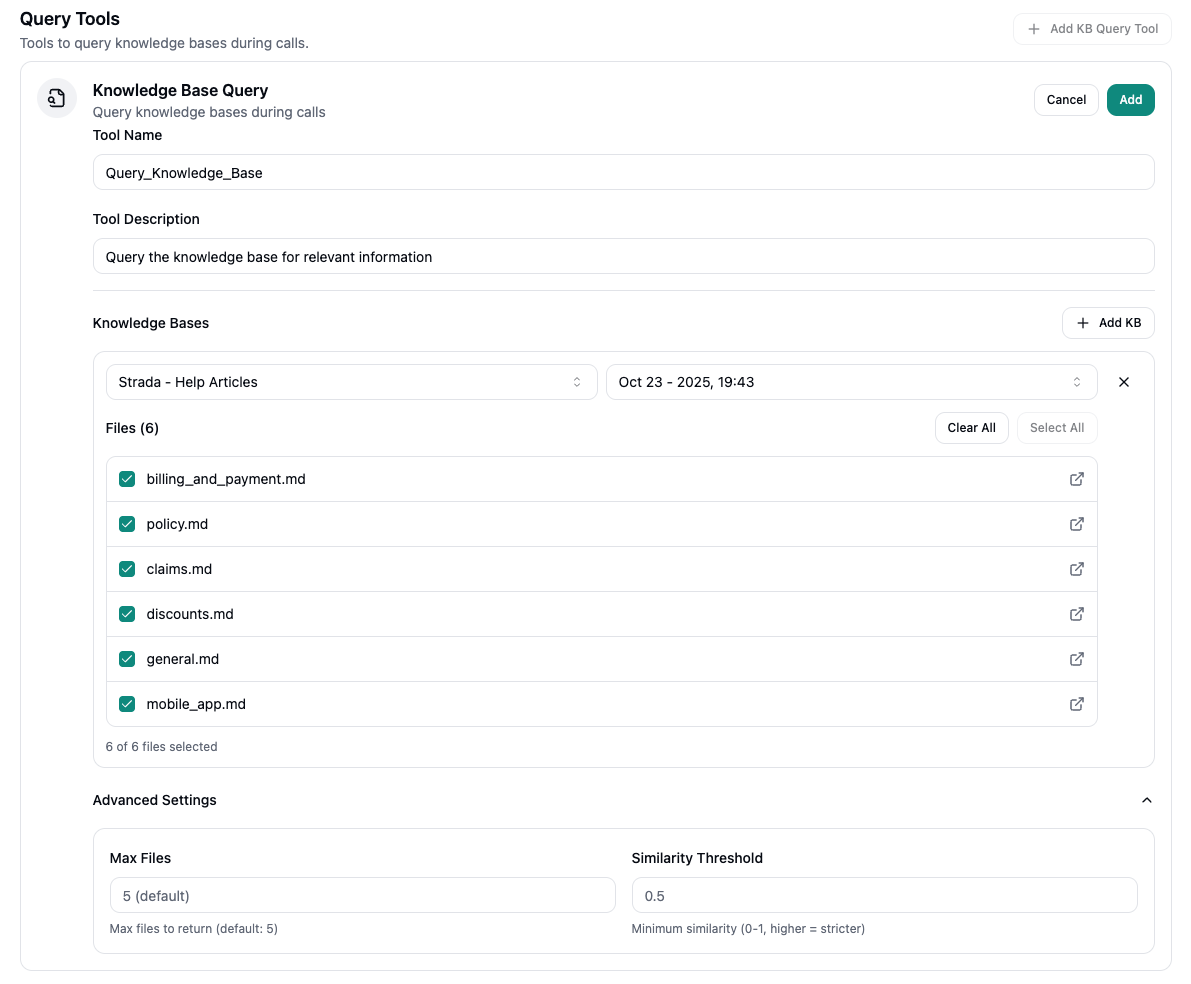
Adding KBs
You can either create individual query tools for each knowledge base your agent uses or pool all of them into one query tool. Simply select theAdd KB button and choose the knowledge base(s) you wish to import into the agent.
All files within the knowledge base are selected by default but if you wish to exclude certain ones, you can do so by clicking on any of the checked boxes to un-check them. This ensures that those files are never retrieved by your agent for the purpose of answering questions.
Knowledge base queries work seamlessly with your conversation flow. The agent intelligently determines when
to query knowledge bases based on user questions and conversation context.
Advanced Settings
The Advanced Settings section allows you to fine-tune how your agent retrieves and filters information from knowledge bases.Max Files
Default: 5; This setting controls the maximum number of files that will be returned from the knowledge base when your agent performs a query. Lower values (e.g., 1-3) return fewer, more focused results while higher values (e.g., 5-10) return more comprehensive results but may include less relevant information.Similarity Threshold
Default: 0.5; This setting determines the minimum similarity score required for a knowledge base file to be included in query results. The threshold ranges from 0 to 1.- Lower values (0.0-0.4): More lenient matching - includes files with lower similarity scores, potentially returning more results but some may be less relevant
- Higher values (0.6-1.0): Stricter matching - only includes files with high similarity scores, ensuring very relevant results but potentially missing related information
A higher similarity threshold means stricter filtering. If your agent is missing relevant information, try
lowering the threshold. If it’s returning too many irrelevant results, increase the threshold.
Best Practices
- Keep your knowledge bases up-to-date with current information
- Organize knowledge base content in a clear, searchable format
- Use descriptive titles and tags to improve search accuracy
- Regularly review and update knowledge base content to ensure accuracy