

Creating a Simulation
To create a new simulation, navigate to the Simulations section and click Create Simulation. You’ll configure the following components: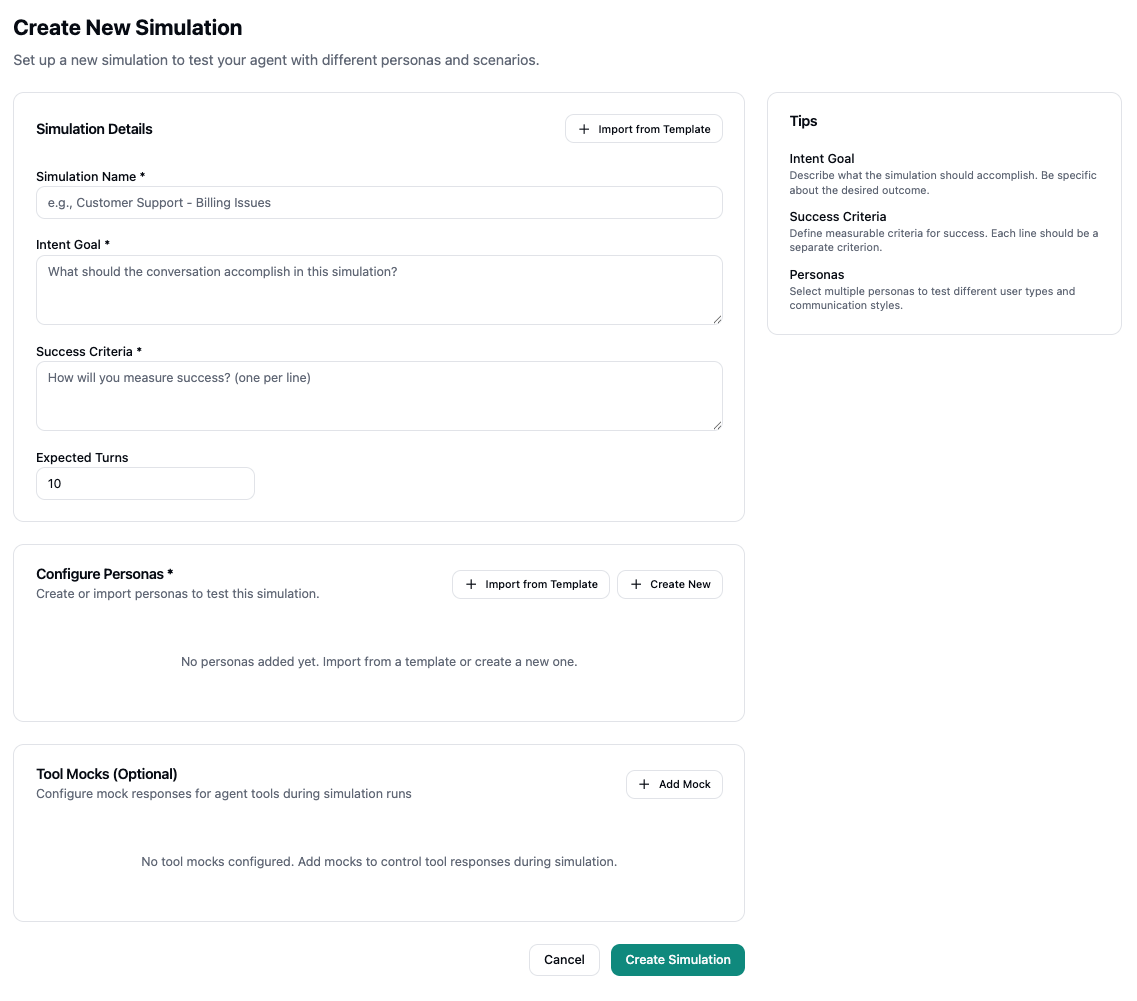
Simulation Details
Simulation Name - Give your simulation a descriptive name that clearly identifies its purpose (e.g., “Customer Support - Billing Issues”). Intent Goal - Define what the conversation should accomplish in this simulation. Be specific about the desired outcome and what success looks like. Success Criteria - Specify how you’ll measure success, with one criterion per line. These criteria help evaluate whether the simulation achieved its intended goal. Expected Turns - Set the expected number of conversation turns. This helps the simulation understand the typical length of conversations for this scenario. You can also click Import from Template to start from a pre-built security template (e.g., Prompt Injection Defense, Self-Harm Prevention) or an organization-specific template.Configure Personas
Personas represent different user types and communication styles that will interact with your agent during the simulation. You can:- Import from Template - Use pre-configured personas from existing templates
- Create New - Build custom personas that match your target audience
Tool Mocks (Optional)
Tool mocks allow you to configure mock responses for agent tools during simulation runs. This is useful for:- Testing agent behavior when tools return specific responses
- Simulating external system interactions
- Controlling tool outputs to test different scenarios
Running Simulations
Once your simulation is configured, you can run it to see how your agent performs across different personas and scenarios.Simulation Results Page
The simulation results page displays:-
Simulation Details - Shows your intent goal, success criteria, and key metrics including:
- Number of personas configured
- Personas passing rate (indicates how many personas met the success criteria)
- Last run time and total number of runs
- Expected turns
-
Simulation Results - Results grouped by persona, with each persona card showing:
- Run status (Passed/Failed) with visual indicators
- Run timing information (when it ran, duration)
- Version information (agent version used for the run)
- Total runs for that persona
Viewing Runs
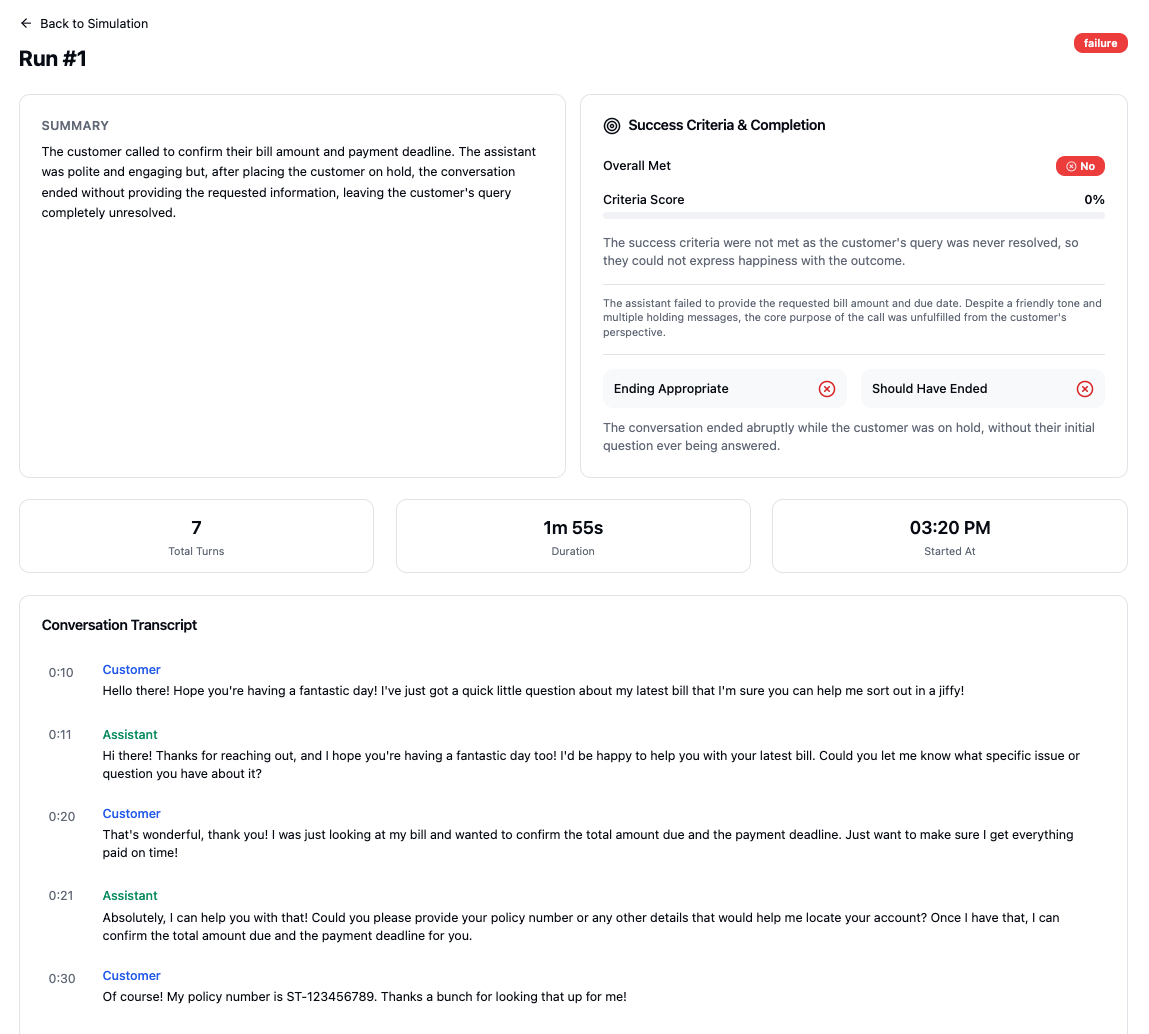
When viewing a specific run, you’ll see:- Summary - An AI-generated summary of how the conversation went
- Success Criteria & Completion - Whether the success criteria were met, with a criteria score percentage and detailed explanations
- Key Metrics - Total turns, duration, and start time
- Conversation Transcript - The complete conversation between the persona and your agent, including tool calls
Best Practices
- Be specific with intent goals - Clearly define what the simulation should accomplish
- Use measurable success criteria - Each criterion should be a separate, testable metric
- Test multiple personas - Include different user types to validate agent behavior across various communication styles
- Use tool mocks strategically - Mock tool responses to test how your agent handles different system states
- Set realistic expected turns - Base this on actual conversation patterns you’ve observed