

Analysis tab to turn transcripts into structured fields you can search, filter, and push to CRMs.
Each Property defines what to extract and how to format it. These properties can also be utilized to build visual charts on the Strada platform for analysis, within the post-conversation workflows as a variable, etc.
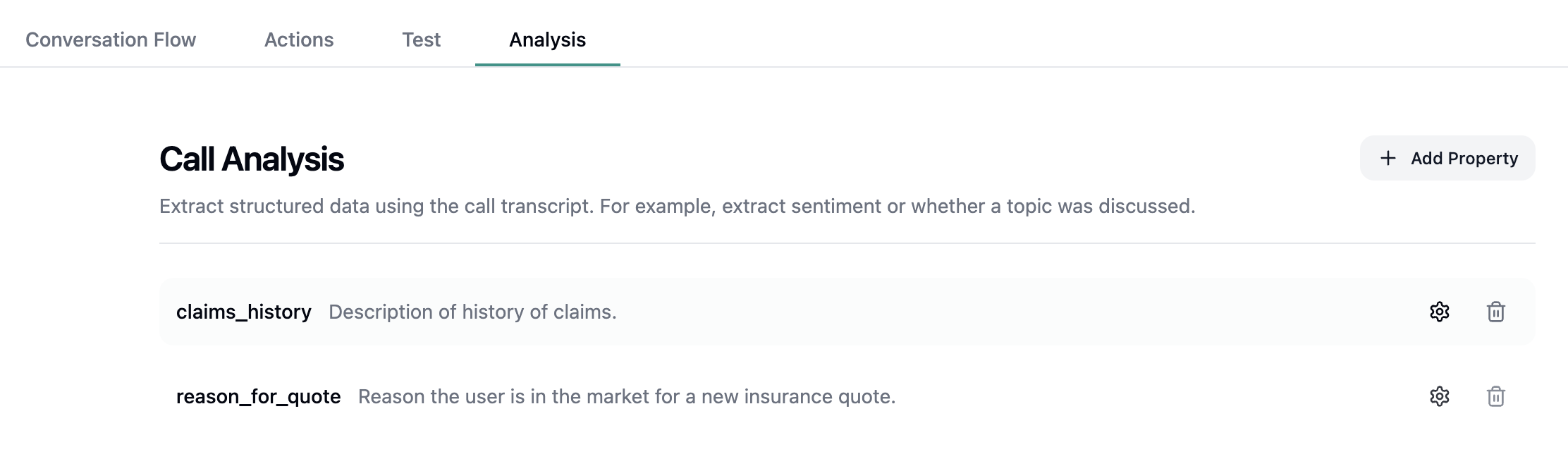
Fields to Fill
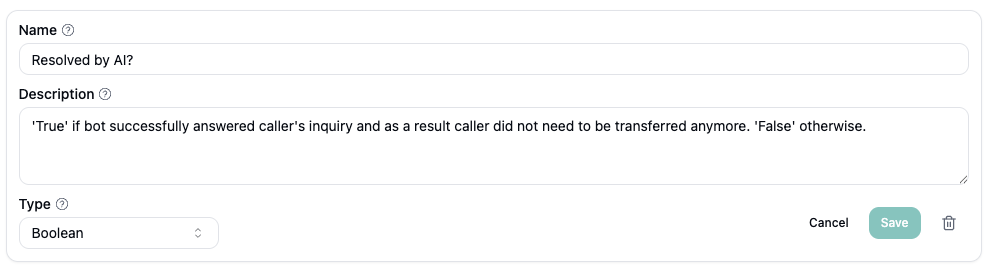
- Name — clear, query-friendly (e.g.,
DNC list?,CSAT). - Type —
Boolean,Datetime (ISO-8601),String,Number,Enum, orJSON. - Description — One or two sentences on when to populate and what exact value to return.
The description of the property is important as the AI will use this description to extract the data. It
should be treated as a small prompt instructing the AI on how and what to extract.
Best Practices
- One rule per field. Keep instructions unambiguous and literal.
- Match type to value. Times →
Datetime (ISO-8601); yes/no →Boolean; short notes →String. - Use placeholders like
{{first_name}}only for reference—don’t require them to be present. - De-duplicate. Don’t keep two properties for the same concept (e.g., “Writes Restaurants” twice).
- Match type to value. Times →
- Avoid free-text when a flag suffices. Use
Enumfor fixed choices. - No maybes. If uncertain, prefer
Falseor blank per the rule.