Overview
The Claims page provides a centralized view of all claims collected during agent conversations. It’s built for customers using Strada’s FNOL (First Notice of Loss) product to track and manage insurance claims as they come in. Claims are created automatically when a customer completes intake forms during a call or chat. Each claim captures the form blocks collected during the conversation, its completion status, and links back to the original call or chat for full context.Claims List
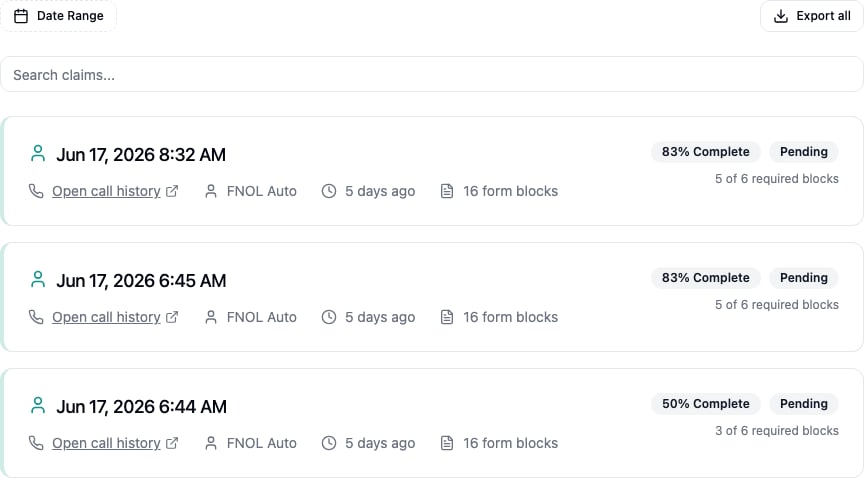
Each claim appears as a card showing:- Date and Time - When the claim was created
- Open call history - Opens the associated call’s transcript and recording in a new tab (shown when the claim came from a call)
- Open chat history - Opens the associated chat transcript in a new tab (shown when the claim came from a chat)
- Agent - The agent that collected the claim
- Time Elapsed - How long ago the claim was created
- Form Blocks - Total number of form blocks collected for the claim
Completion Status
Each card shows how complete the claim is, based on its required form blocks:- Completion Percentage - A
% Completebadge appears while a claim is still missing required information - Status Badge - Pending while required blocks are incomplete, Submitted once all required blocks are filled
- Progress - The number of completed required blocks out of the total required (e.g. 3 of 5 required blocks)
Claim Details
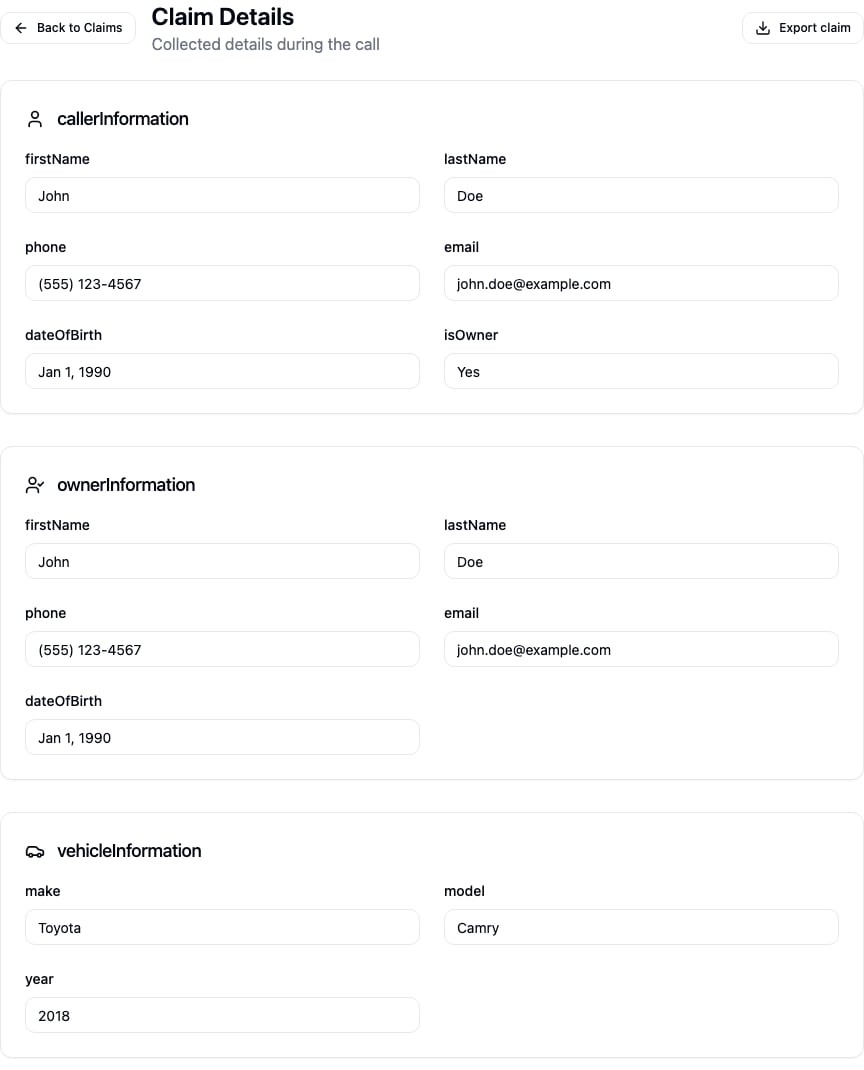
Click a claim card to open its detail view, which shows all of the information collected during the conversation, grouped by form block. Each block lists its fields and the values captured during the call, formatted by field type (dates, phone numbers, addresses, and more). If a conversation didn’t collect any intake information, the detail view shows an empty state instead.