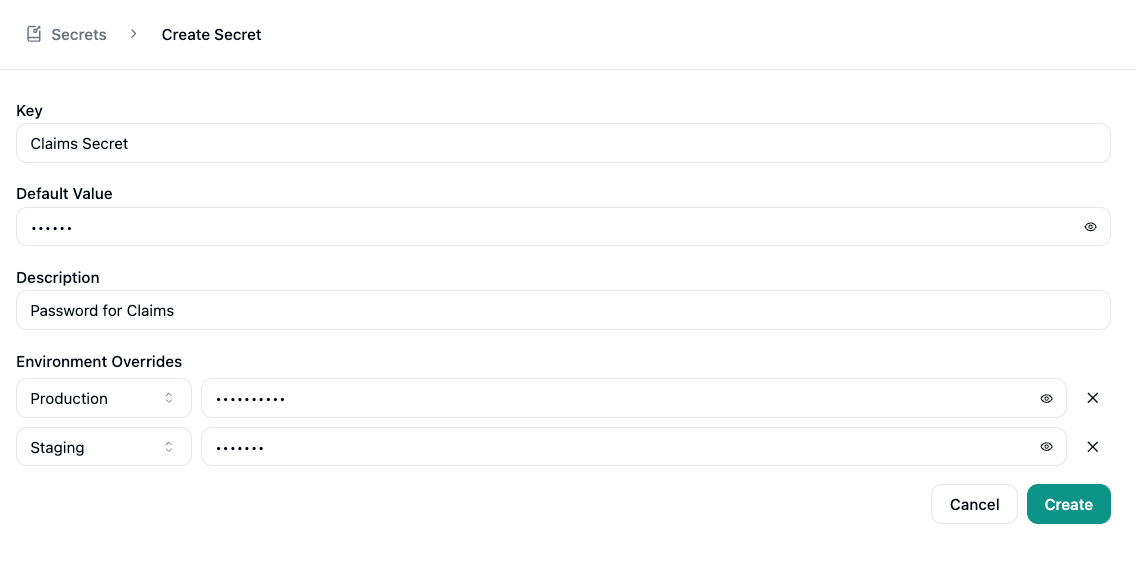
Adding a Secret
Click Add Secret to open the creation dialog:- Key - A unique identifier for the secret (e.g., “STRIPE_API_KEY”)
- Value - The sensitive value to store. Hidden by default with an option to reveal while typing.
- Description - An optional note to help identify the secret’s purpose
Using Secrets
Secrets are available in workflow node configurations. Type/ in any workflow node field and look for your secret under the secret category. This lets workflows authenticate with external services without exposing credentials.
Secrets can also be referenced via Secure Metadata for values that should never be passed to the language model.
Environment Overrides
If your organization has environments configured, each secret can store a different value per environment. When editing or creating a secret, an Environment Overrides section appears below the default value. Select an environment from the dropdown, enter the environment-specific value, and save. At runtime, workflows resolve the override that matches the active environment. If no override exists, the default value is used.