

Overview
The Gaps page analyzes your agent conversations to surface questions and scenarios where your agents lacked the right information or capabilities. Strada clusters these into categories and tracks how frequently each gap occurs, giving you a clear view of where to focus your improvements.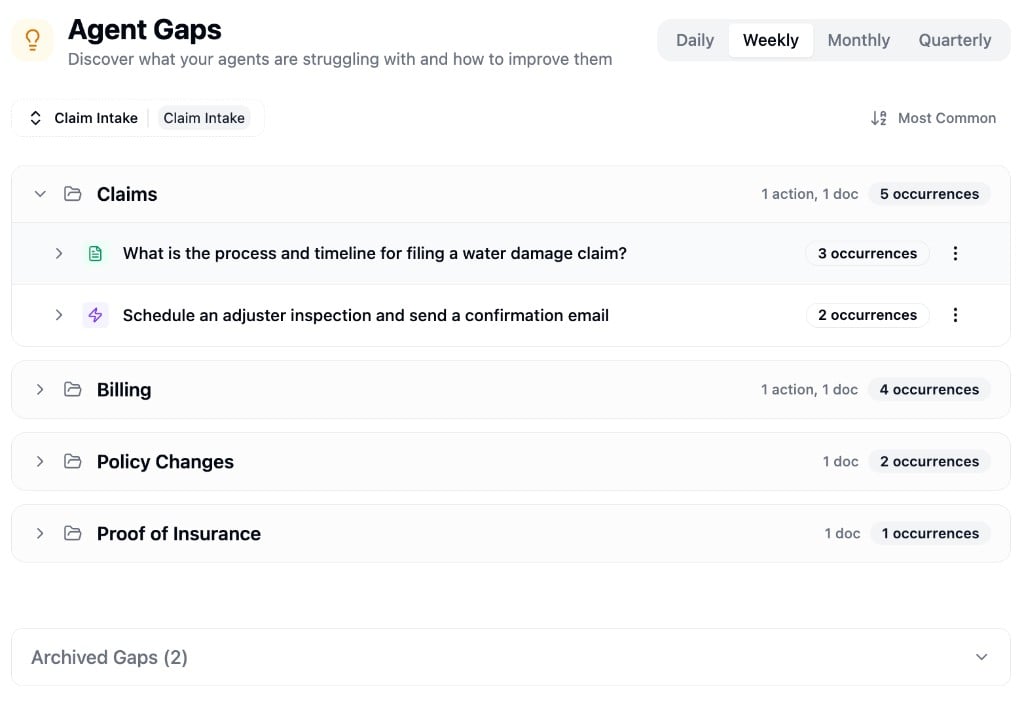
Filtering
Use the agent dropdown to select which agent to analyze. Gaps are tracked per-agent, so each agent has its own set of detected gaps. Filter by time range and sort by most common or most recent to focus on what matters.Gap Types
Each gap is classified as one of two types:- Knowledge gaps - the agent couldn’t find the right information to answer a question. These suggest you should add or update content in a knowledge base.
- Action gaps - the agent lacked the ability to perform a requested task. These suggest you should create a new action or tool for the agent.
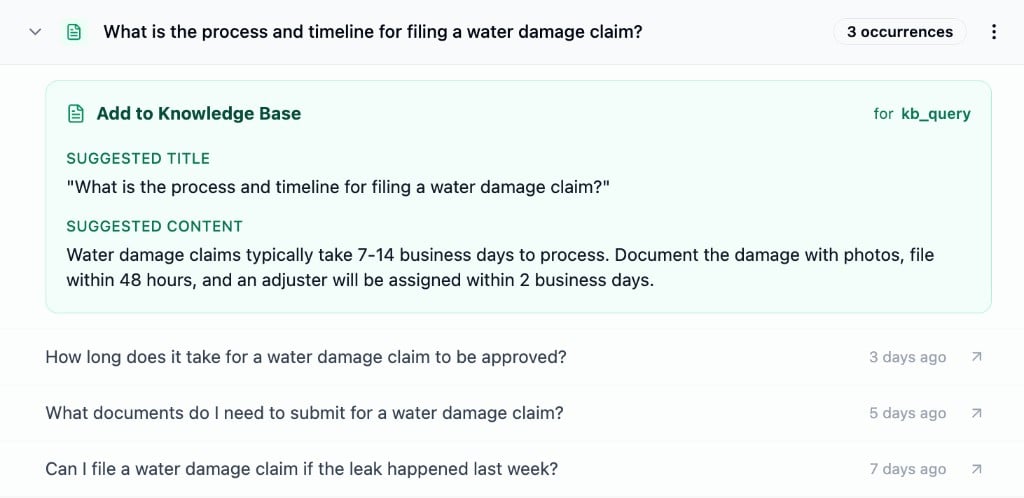
Managing Gaps
From the cluster-level menu, you can:- Mark as Resolved - move the cluster to the archived section after addressing the issue
- Archive - dismiss the cluster if it’s not actionable