> ## Documentation Index
> Fetch the complete documentation index at: https://docs.getstrada.com/llms.txt
> Use this file to discover all available pages before exploring further.

# Workflow Runs

> Monitor and review Strada workflow executions

## Overview

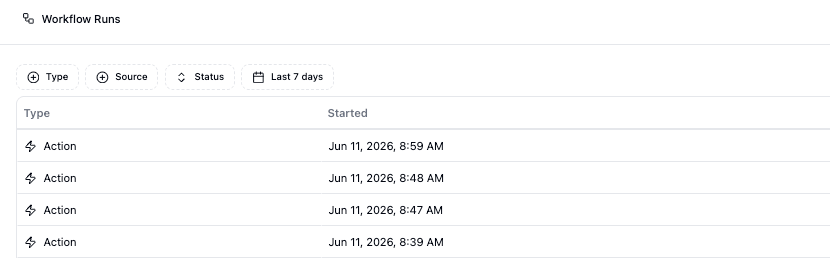
Workflow Runs gives you easy access to all workflow executions. Strada Workflows are automated actions that can run before a call starts, during a live call, or after a call ends, allowing you to streamline follow-up tasks, data processing, and integrations with external systems.

Here, you can track when workflows were executed, which agent triggered them, the associated phone number, call outcome, completion status, and actions executed within each workflow.

***

## Filtering and Search
<Frame>
  <img src="https://mintcdn.com/strada/5w3QID7bHEMXyWaR/logs/workflow-runs-filters.png?fit=max&auto=format&n=5w3QID7bHEMXyWaR&q=85&s=6c8f53d013604f63039bcca42d9da6dd" alt="Workflow Runs filters" width="830" height="258" data-path="logs/workflow-runs-filters.png" />
</Frame>

<div style={{ display: 'flex', alignItems: 'center', gap: '2rem', margin: '1.5rem 0' }}>
  <div style={{ flex: 1 }}>
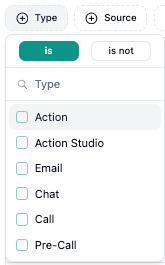
    ### Type

    Filter workflows by the type of action that was executed (Action, Action Studio, Email, Chat, Call, Pre-Call).
  </div>

  <img src="https://mintcdn.com/strada/5w3QID7bHEMXyWaR/logs/workflow-runs-filter-type.png?fit=max&auto=format&n=5w3QID7bHEMXyWaR&q=85&s=69aba7bb64d4b368e0643cca06c5f934" alt="Type filter" style={{ width: '150px' }} width="165" height="265" data-path="logs/workflow-runs-filter-type.png" />
</div>

<div style={{ display: 'flex', alignItems: 'center', gap: '2rem', margin: '1.5rem 0' }}>
  <div style={{ flex: 1 }}>
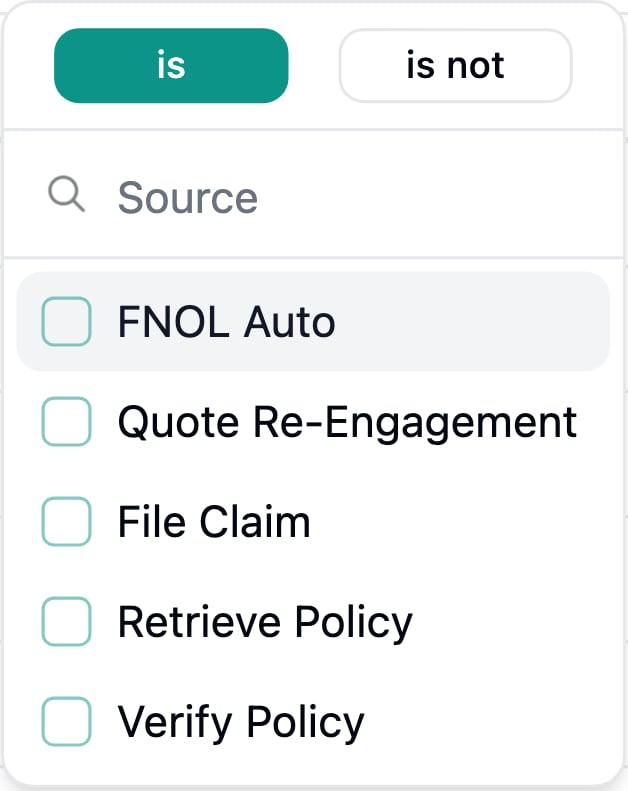
    ### Source

    Filter workflows by the specific workflow that was executed.
  </div>

  <img src="https://mintcdn.com/strada/5w3QID7bHEMXyWaR/logs/workflow-runs-filter-source.png?fit=max&auto=format&n=5w3QID7bHEMXyWaR&q=85&s=6161e6d0c20370537c8d039f2254eae8" alt="Source filter" style={{ width: '150px' }} width="628" height="791" data-path="logs/workflow-runs-filter-source.png" />
</div>

<div style={{ display: 'flex', alignItems: 'center', gap: '2rem', margin: '1.5rem 0' }}>
  <div style={{ flex: 1 }}>
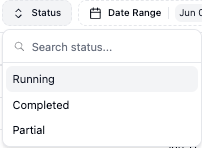
    ### Status

    Filter workflows by the status of the workflow (Running, Completed, Partial).
  </div>

  <img src="https://mintcdn.com/strada/5w3QID7bHEMXyWaR/logs/workflow-runs-filter-status.png?fit=max&auto=format&n=5w3QID7bHEMXyWaR&q=85&s=8b7b5862b187fd823ce5f3bf271ae66e" alt="Status filter" style={{ width: '150px' }} width="202" height="148" data-path="logs/workflow-runs-filter-status.png" />
</div>

<div style={{ display: 'flex', alignItems: 'center', gap: '2rem', margin: '1.5rem 0' }}>
  <div style={{ flex: 1 }}>
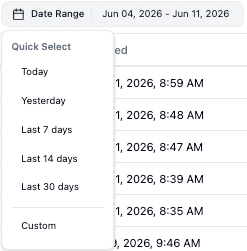
    ### Date Range

    Filter workflows by the date that the workflow was executed.
  </div>

  <img src="https://mintcdn.com/strada/5w3QID7bHEMXyWaR/logs/workflow-runs-filter-date-range.png?fit=max&auto=format&n=5w3QID7bHEMXyWaR&q=85&s=94ea4af096569411802f4060d29745fa" alt="Date Range filter" style={{ width: '150px' }} width="247" height="251" data-path="logs/workflow-runs-filter-date-range.png" />
</div>

***

## Workflows

Each row is a single workflow execution, and the columns break down what ran, when it ran, and how it finished.

The columns are:

* **Type** - The type of action that was executed (e.g. Action, Pre-Call, Call).
* **Started** - The time that the workflow started.
* **Status** - The status of the workflow (e.g. Completed, Running, Step Failure).
* **Contact** - The phone number that triggered the workflow.
* **Source** - The workflow that was triggered.
* **Steps** - The different kinds of blocks that were run.
* **View Workflow** - Button to see how the workflow was run.
