> ## Documentation Index
> Fetch the complete documentation index at: https://docs.getstrada.com/llms.txt
> Use this file to discover all available pages before exploring further.
# Existing Knowledge Bases
> Manage files, versions, and syncing across your knowledge bases
## Overview
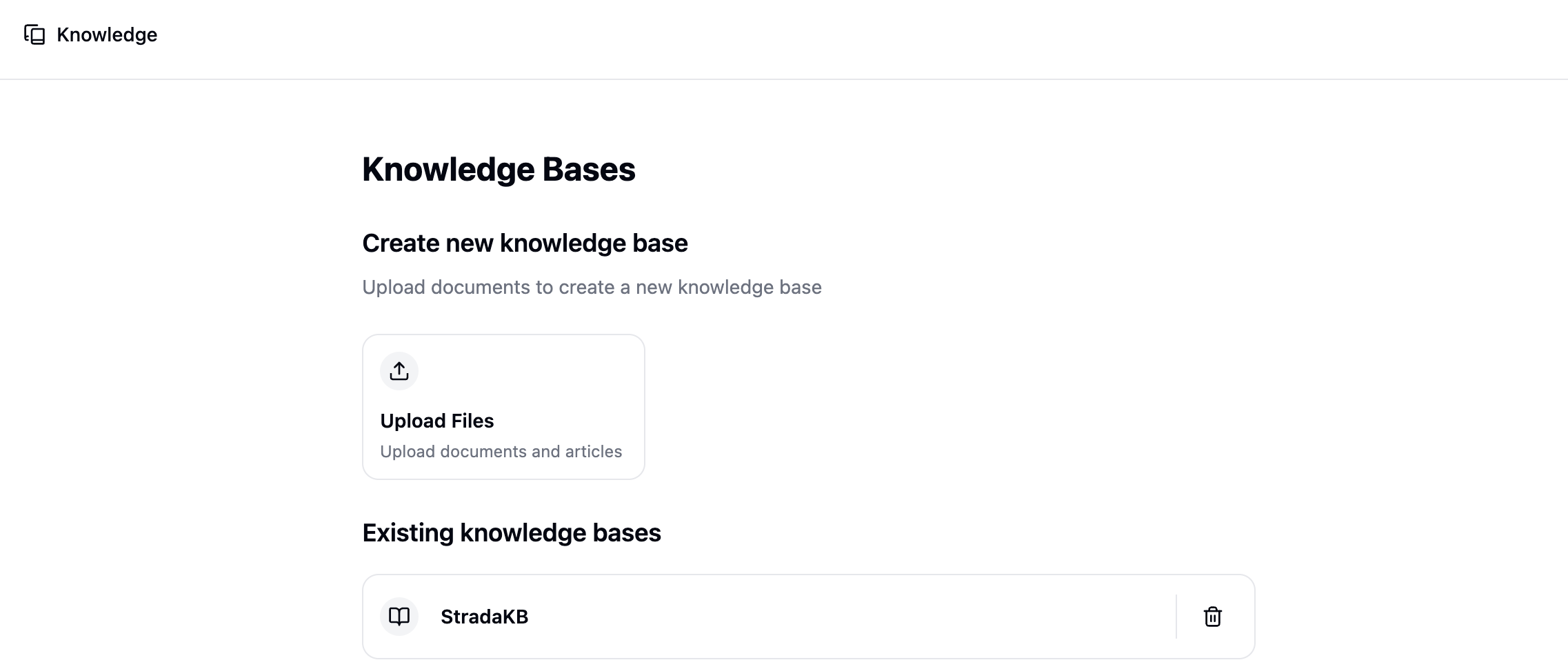
All of your knowledge bases are listed on the Knowledge page under **Content** in the sidebar. Click any knowledge base to open it and manage its files.
 ***
## Viewing Files
When you open a knowledge base, you'll see a list of all files it contains. Use the search bar to find files by name.
***
## Viewing Files
When you open a knowledge base, you'll see a list of all files it contains. Use the search bar to find files by name.
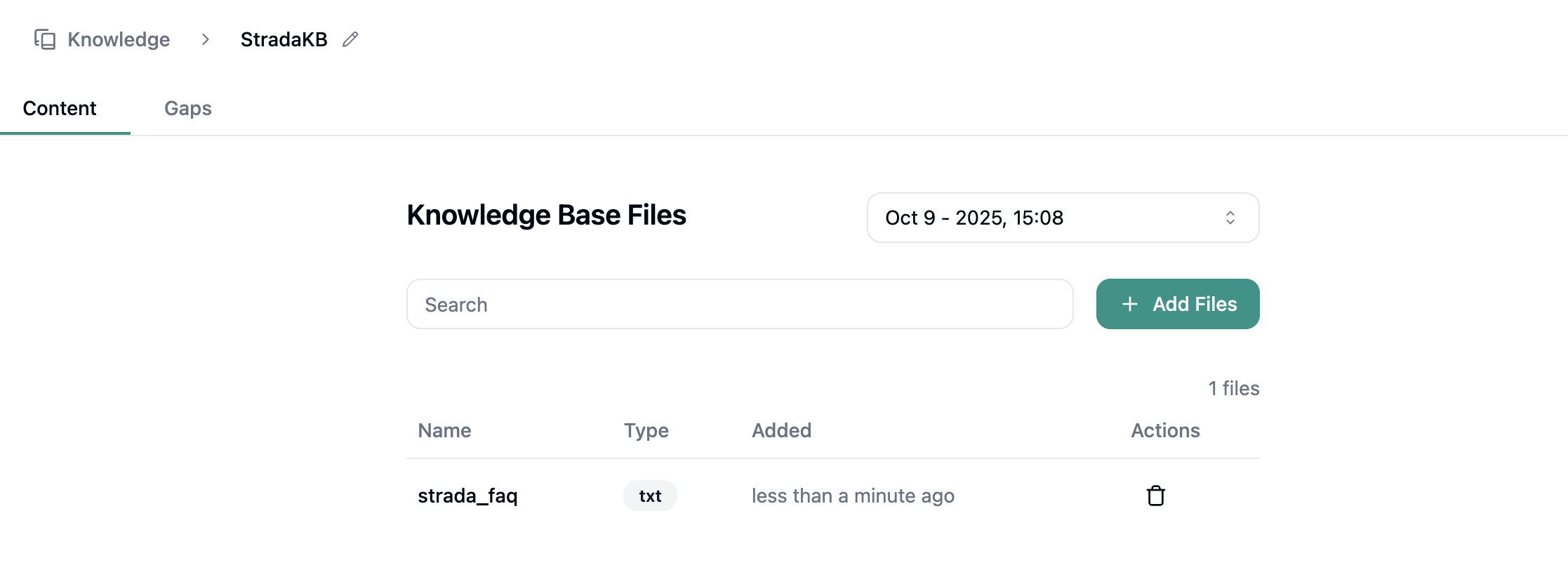 Click any file to open the Markdown editor, where you can review and update its content. Your changes are saved as a new version automatically.
***
## Deleting Files
Remove individual files from the file list. This action is permanent and cannot be undone.
***
## Versions
Every change to your knowledge base - adding, editing, or deleting files - creates a new version. Use the version dropdown to browse previous versions and see how your content has evolved.
You can switch between versions at any time to compare content or reference earlier states of your knowledge base.
***
## Syncing Crawled Content
For knowledge bases that include content crawled from websites, the **Sync All** button re-crawls all source URLs and compares the updated content against your current files.
If differences are found, they're queued for review. A **Review** badge appears with the number of pending changes. Click it to step through each update and approve or dismiss the changes before they're applied.
While a sync is in progress, uploading and crawling new content is temporarily disabled to prevent conflicts.
***
## Deleting a Knowledge Base
You can delete an entire knowledge base from the Knowledge page. This removes all files, versions, and associated data permanently.
Click any file to open the Markdown editor, where you can review and update its content. Your changes are saved as a new version automatically.
***
## Deleting Files
Remove individual files from the file list. This action is permanent and cannot be undone.
***
## Versions
Every change to your knowledge base - adding, editing, or deleting files - creates a new version. Use the version dropdown to browse previous versions and see how your content has evolved.
You can switch between versions at any time to compare content or reference earlier states of your knowledge base.
***
## Syncing Crawled Content
For knowledge bases that include content crawled from websites, the **Sync All** button re-crawls all source URLs and compares the updated content against your current files.
If differences are found, they're queued for review. A **Review** badge appears with the number of pending changes. Click it to step through each update and approve or dismiss the changes before they're applied.
While a sync is in progress, uploading and crawling new content is temporarily disabled to prevent conflicts.
***
## Deleting a Knowledge Base
You can delete an entire knowledge base from the Knowledge page. This removes all files, versions, and associated data permanently.