> ## Documentation Index
> Fetch the complete documentation index at: https://docs.getstrada.com/llms.txt
> Use this file to discover all available pages before exploring further.
# Create New Knowledge Base
> Upload documents or crawl websites to build a knowledge base for your agents
A knowledge base is a collection of files that your agents can access during conversations to find answers. When a customer asks a question, the agent retrieves the most relevant content and responds naturally.
***
## Creating a Knowledge Base
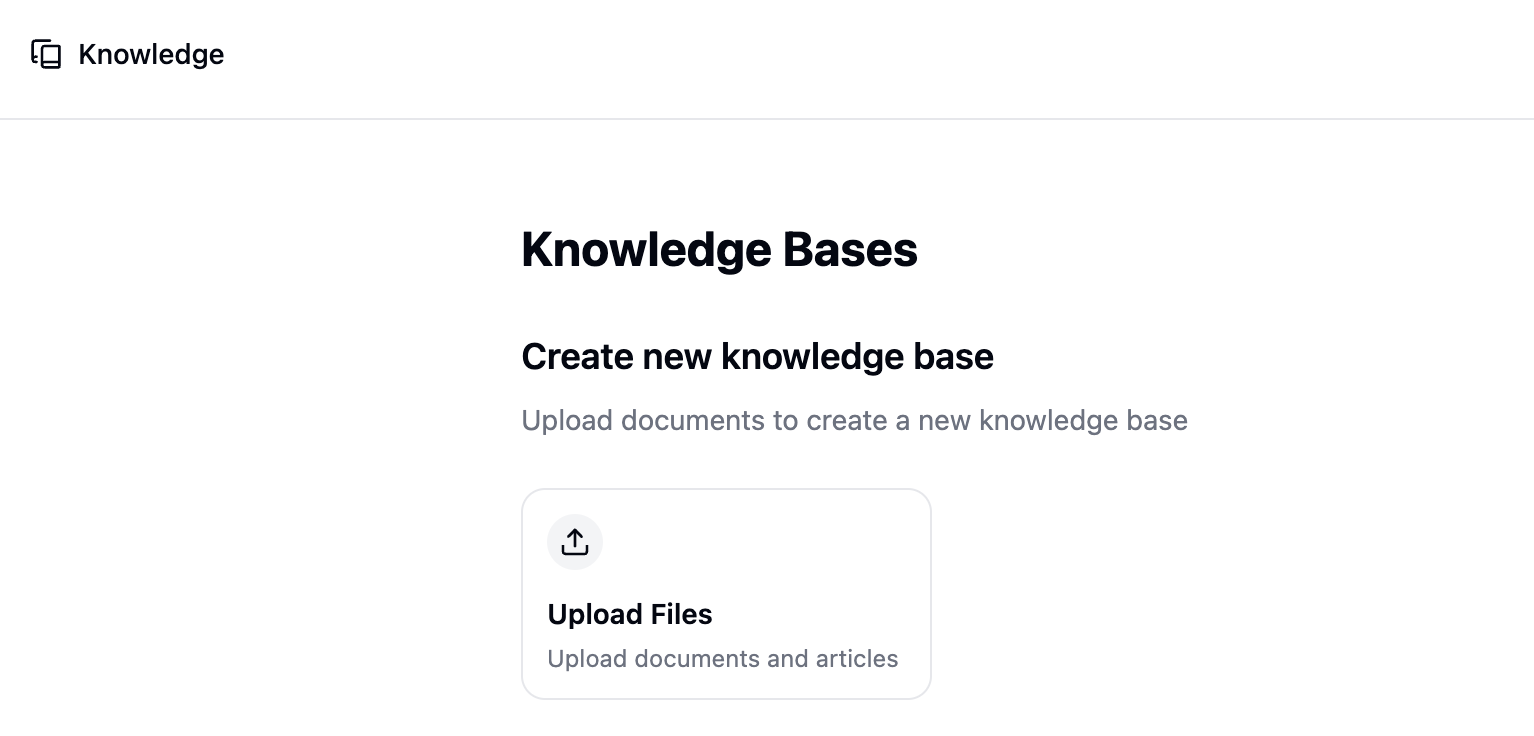
From the Knowledge page, click **Upload** to get started.
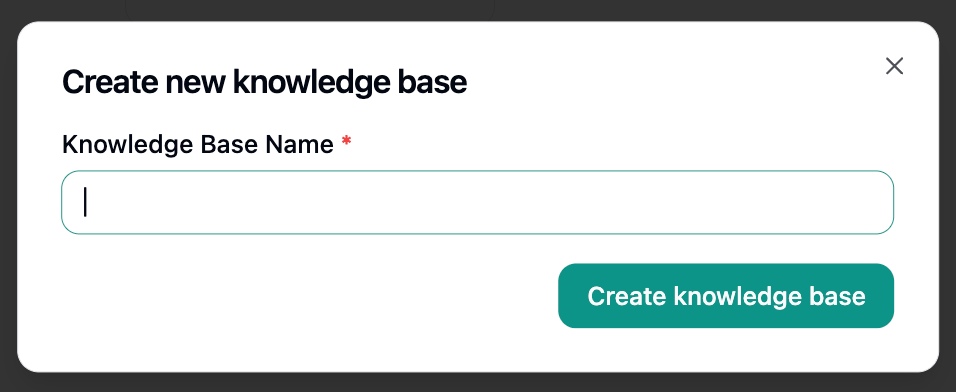
 Enter a name for your knowledge base and click **Create knowledge base**.
 After creation, you'll be taken to the content view where you can start adding files.
***
## Uploading Files
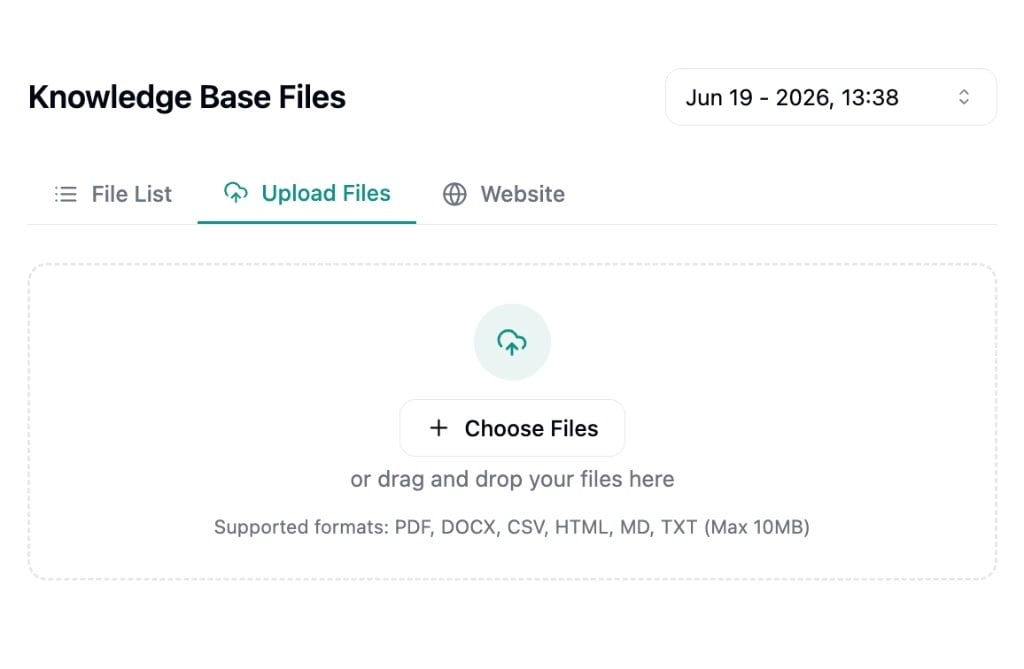
From the content view, use the **Upload** tab to drag and drop files or click **Choose Files** to browse.
After creation, you'll be taken to the content view where you can start adding files.
***
## Uploading Files
From the content view, use the **Upload** tab to drag and drop files or click **Choose Files** to browse.
 ### Supported File Types
| Format | Extension |
| ------------- | --------- |
| Markdown | `.md` |
| Plain text | `.txt` |
| PDF | `.pdf` |
| CSV | `.csv` |
| HTML | `.html` |
| Word document | `.docx` |
Each file can be up to **10MB**.
### File Conversion
Non-text files like PDF and DOCX are automatically converted to Markdown before being added. You'll see a conversion preview where you can review and edit the converted content before confirming the upload.
Text-based files (`.md`, `.txt`, `.csv`) are uploaded directly without conversion.
***
## Crawling Websites
Instead of uploading files manually, you can pull content directly from websites. Strada crawls the pages you point it to, extracts the text, and converts it into knowledge base files automatically.
Switch to the **Website** tab within your knowledge base to get started.
### Supported File Types
| Format | Extension |
| ------------- | --------- |
| Markdown | `.md` |
| Plain text | `.txt` |
| PDF | `.pdf` |
| CSV | `.csv` |
| HTML | `.html` |
| Word document | `.docx` |
Each file can be up to **10MB**.
### File Conversion
Non-text files like PDF and DOCX are automatically converted to Markdown before being added. You'll see a conversion preview where you can review and edit the converted content before confirming the upload.
Text-based files (`.md`, `.txt`, `.csv`) are uploaded directly without conversion.
***
## Crawling Websites
Instead of uploading files manually, you can pull content directly from websites. Strada crawls the pages you point it to, extracts the text, and converts it into knowledge base files automatically.
Switch to the **Website** tab within your knowledge base to get started.
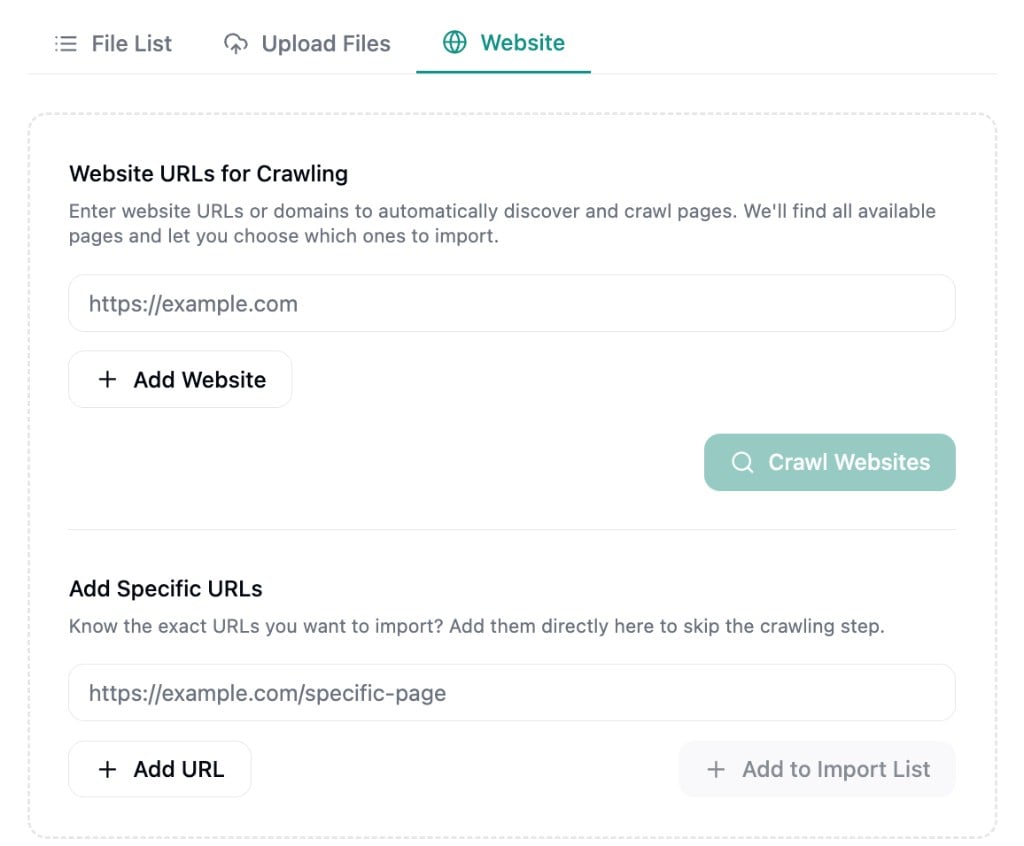 ### Adding Specific URLs
If you already know the exact pages you want, use the **Add Specific URLs** section. Enter URLs directly and click **Add to Import List** to include them without crawling.
### Importing
Once you've selected your pages, click **Import Selected Pages** to start ingestion. Each page is processed individually with a status indicator so you can track progress. After ingestion completes, the crawled content appears as files in your knowledge base, ready to be reviewed and edited.
***
## Editing Content
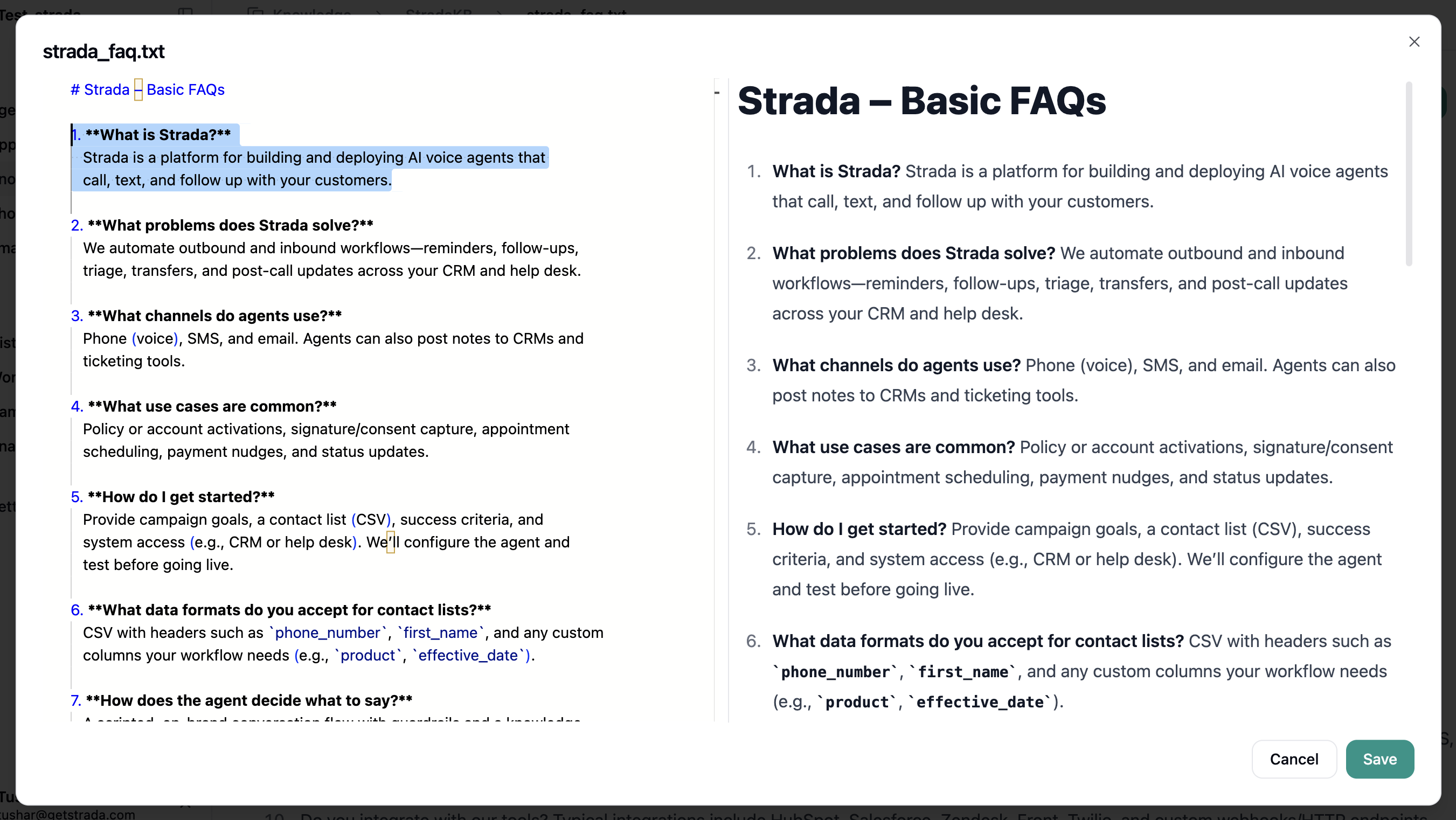
Click any file to open the Markdown editor. Your input appears on the left with a formatted preview on the right.
We support Markdown editing with a live preview - you'll see your input on the left and the formatted output
on the right.
### Adding Specific URLs
If you already know the exact pages you want, use the **Add Specific URLs** section. Enter URLs directly and click **Add to Import List** to include them without crawling.
### Importing
Once you've selected your pages, click **Import Selected Pages** to start ingestion. Each page is processed individually with a status indicator so you can track progress. After ingestion completes, the crawled content appears as files in your knowledge base, ready to be reviewed and edited.
***
## Editing Content
Click any file to open the Markdown editor. Your input appears on the left with a formatted preview on the right.
We support Markdown editing with a live preview - you'll see your input on the left and the formatted output
on the right.