> ## Documentation Index
> Fetch the complete documentation index at: https://docs.getstrada.com/llms.txt
> Use this file to discover all available pages before exploring further.
# Configuration
> Knowledge base, voicemail, dial keypad, and chat components
The Configuration section contains agent-level settings for knowledge base access, voicemail behavior, dial keypad functionality, and interactive chat components.
Open this section by clicking **Configuration** in the floating controls on the editor.
***
## Knowledge Base
Assign a knowledge base to give your agent access to reference material during conversations. The agent can query the knowledge base through a configured query tool to retrieve relevant information.
* **Knowledge Base** - Select a knowledge base from the dropdown, or choose "No knowledge base" to disconnect one.
* **Version** - Once a knowledge base is selected, pick which version the agent should use. Versions are listed by timestamp, with the most recent at the top.
 ***
## Voicemail
When enabled, the agent will leave a voicemail message if an outbound call is not answered.
* **Toggle** - Enable or disable voicemail detection.
* **Voicemail Message** - The message the agent should leave. This field appears when voicemail is enabled. Write it as you would a natural voicemail, including any callback numbers or next steps.
***
## Voicemail
When enabled, the agent will leave a voicemail message if an outbound call is not answered.
* **Toggle** - Enable or disable voicemail detection.
* **Voicemail Message** - The message the agent should leave. This field appears when voicemail is enabled. Write it as you would a natural voicemail, including any callback numbers or next steps.
 ***
## Dial Keypad
When enabled, the agent gains the ability to dial the keypad during calls. This is useful for scenarios where the agent needs to navigate automated phone trees or enter extension numbers.
Toggle this on if your agent will interact with IVR systems or needs to input numeric codes during a call.
***
## Dial Keypad
When enabled, the agent gains the ability to dial the keypad during calls. This is useful for scenarios where the agent needs to navigate automated phone trees or enter extension numbers.
Toggle this on if your agent will interact with IVR systems or needs to input numeric codes during a call.
 ***
## Interactive Chat Components
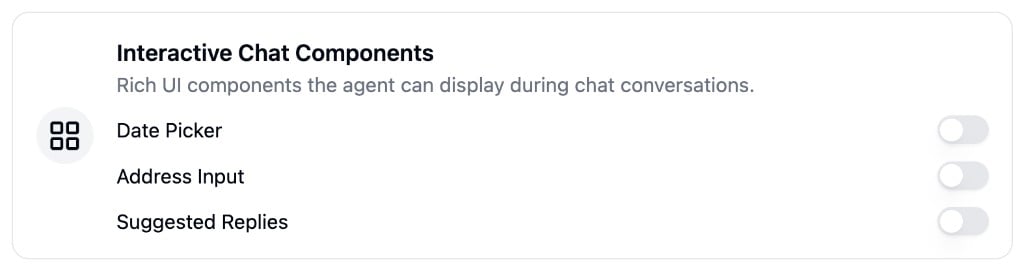
These settings enable rich UI components that your agent can present during chat conversations.
* **Date Picker** - Allows the agent to display a calendar date picker in the chat for the user to select a date.
* **Address Input** - Allows the agent to display an address input field with autocomplete.
* **Suggested Replies** - Allows the agent to display quick-reply option buttons in the chat.
***
## Interactive Chat Components
These settings enable rich UI components that your agent can present during chat conversations.
* **Date Picker** - Allows the agent to display a calendar date picker in the chat for the user to select a date.
* **Address Input** - Allows the agent to display an address input field with autocomplete.
* **Suggested Replies** - Allows the agent to display quick-reply option buttons in the chat.