> ## Documentation Index
> Fetch the complete documentation index at: https://docs.getstrada.com/llms.txt
> Use this file to discover all available pages before exploring further.
# In-Conversation Actions
> Actions executed during the conversation
**We strongly recommend using [Workflows](/building/conversation-flow/workflows/workflows-overview) for
in-call automation.** Workflows provide a visual node-based builder with more flexibility, integrations, and
flow control. The actions below will be deprecated in the future.
These are actions that can be taken during a conversation. In-conversation actions are modelled after [LLM tool calls (function calling)](https://platform.openai.com/docs/guides/function-calling?api-mode=chat#overview). You can define input parameters that can be extracted by the AI to use in the action.
***
## Using Actions in Conversation Flow
To use an action in your conversation flow, enclose the action's name in single back quotes. For example, to use a Gmail action named "send\_followUp\_email", you would reference it as `` `send_followUp_email` `` in your conversation flow configuration.
***
## Configuring an Action
Each action allows you to define its **name**, **description** and **action variables**.
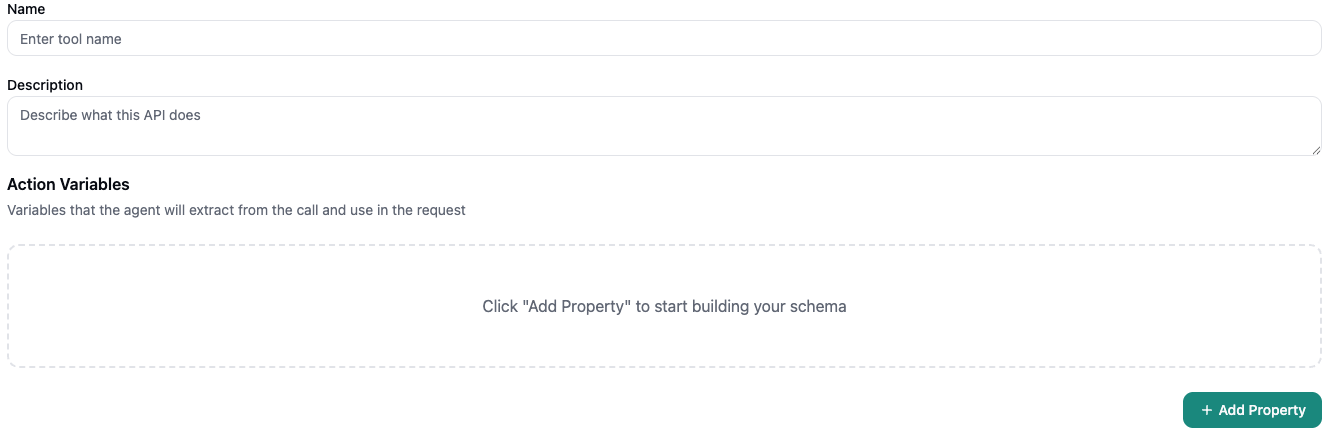 The **name** is used to refer to the action in the conversation flow using single back quotes.
The **description** is used by the AI to determine how and when this action should be used. The description should be unambiguous. For more details, view [best practices](https://platform.openai.com/docs/guides/function-calling#best-practices-for-defining-functions) outlined by OpenAI.
### Defining action variables
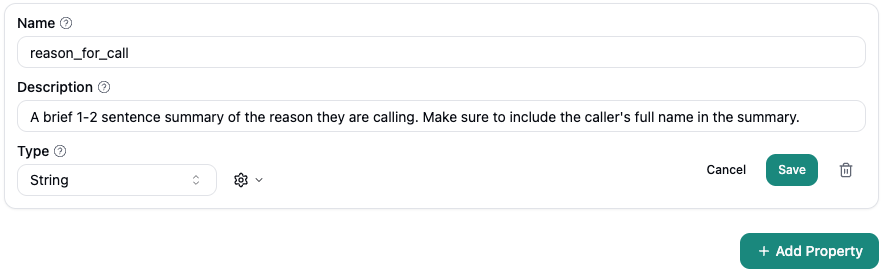
When you add a property to **action variables** you need to provide it a subsequent *name* and *description*. The name is necessary to reference it in the action. The description tells the AI how the data to populate for this variable should be extracted.
The **name** is used to refer to the action in the conversation flow using single back quotes.
The **description** is used by the AI to determine how and when this action should be used. The description should be unambiguous. For more details, view [best practices](https://platform.openai.com/docs/guides/function-calling#best-practices-for-defining-functions) outlined by OpenAI.
### Defining action variables
When you add a property to **action variables** you need to provide it a subsequent *name* and *description*. The name is necessary to reference it in the action. The description tells the AI how the data to populate for this variable should be extracted.
 ## App Specific In-Conversation Actions
Strada provides powerful built-in actions that seamlessly integrate with popular platforms. Each action is designed to enhance your conversation flow and automate tasks in real-time.
***
### Gmail
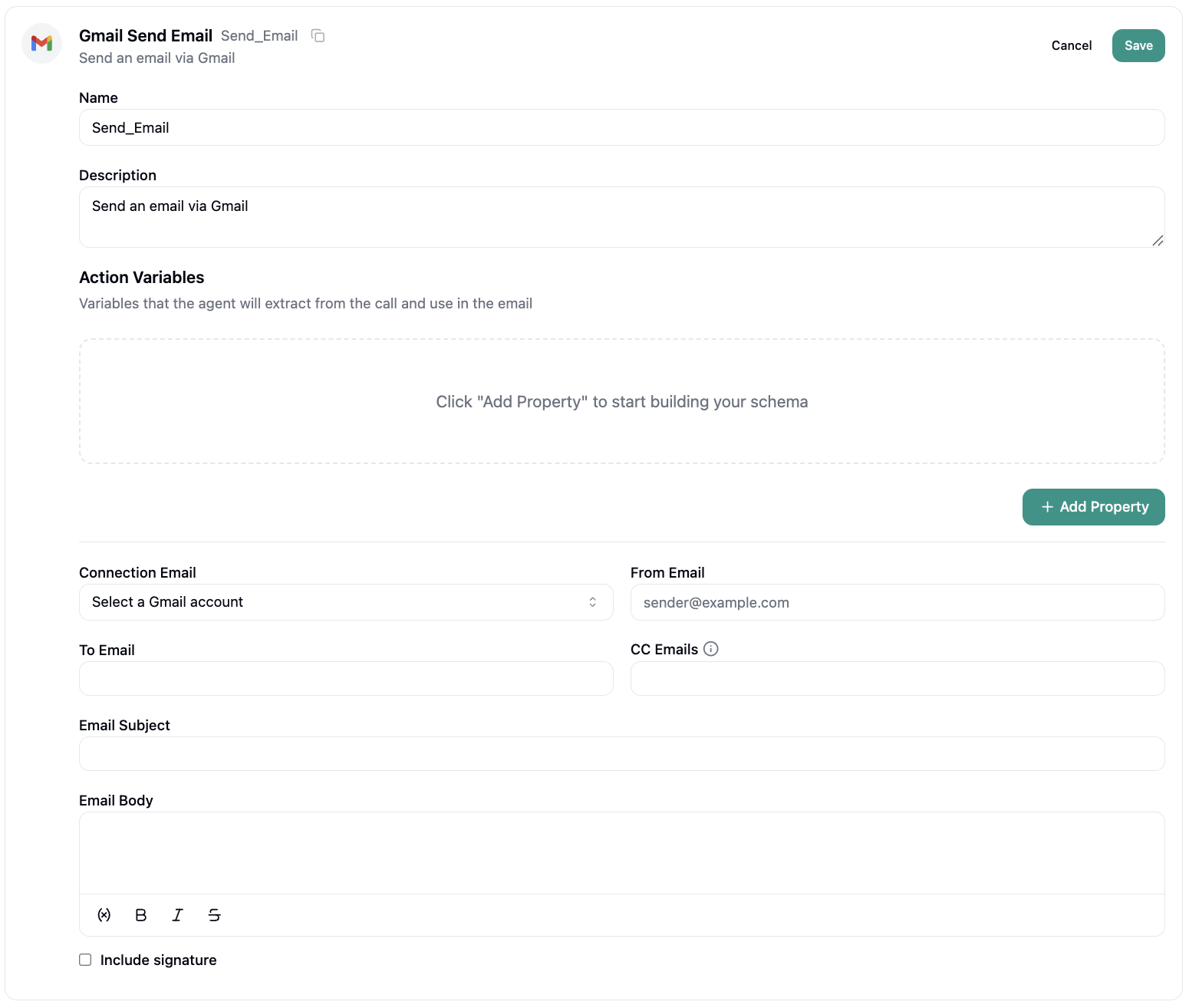
**Send Email** - Deliver emails directly through Gmail during live conversations.
## App Specific In-Conversation Actions
Strada provides powerful built-in actions that seamlessly integrate with popular platforms. Each action is designed to enhance your conversation flow and automate tasks in real-time.
***
### Gmail
**Send Email** - Deliver emails directly through Gmail during live conversations.
 ***
### HubSpot
The HubSpot integration offers a comprehensive suite of CRM and marketing automation capabilities.
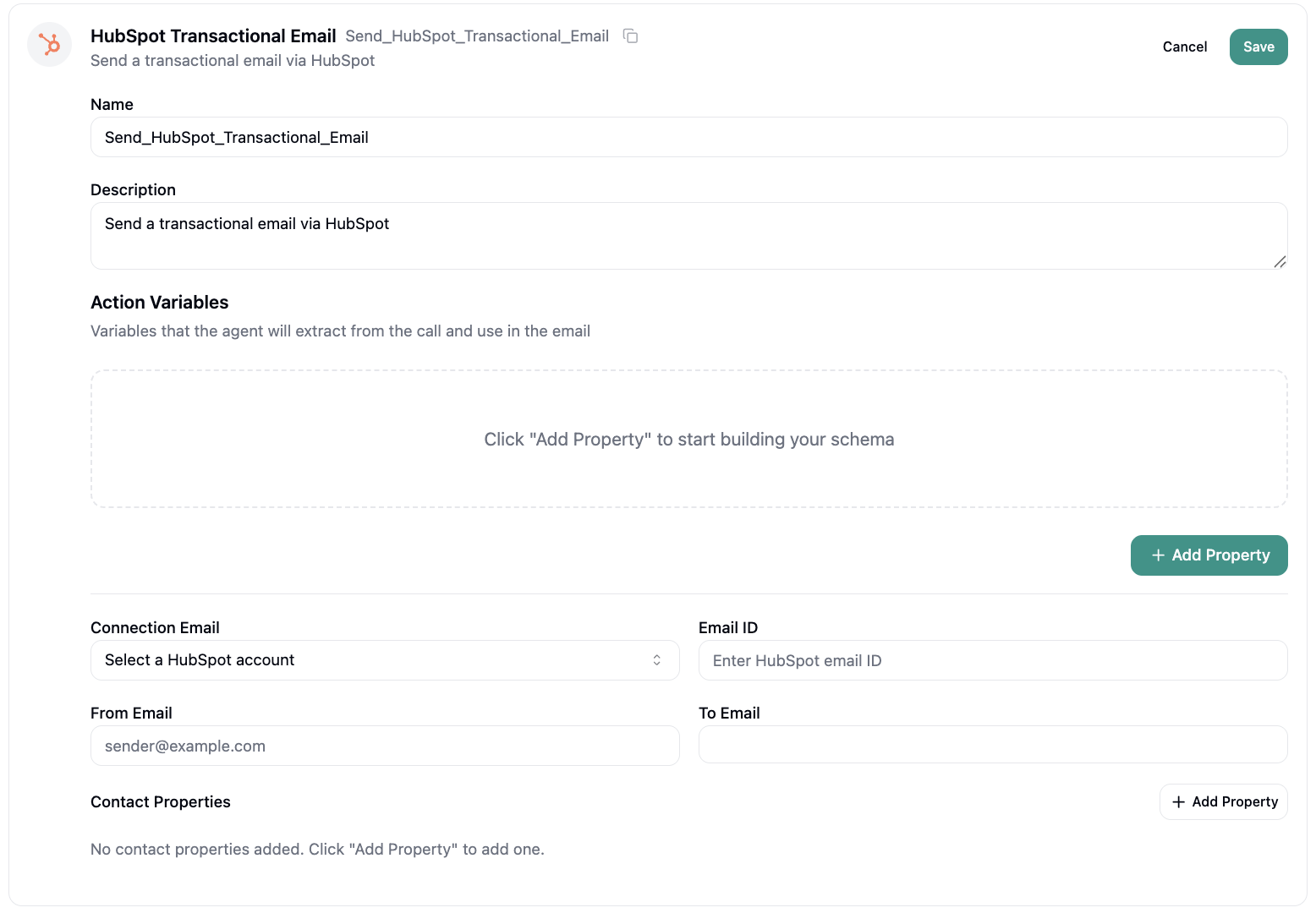
**Send Transactional Email** - Deliver time-sensitive transactional emails through your HubSpot account during conversations.
***
### HubSpot
The HubSpot integration offers a comprehensive suite of CRM and marketing automation capabilities.
**Send Transactional Email** - Deliver time-sensitive transactional emails through your HubSpot account during conversations.
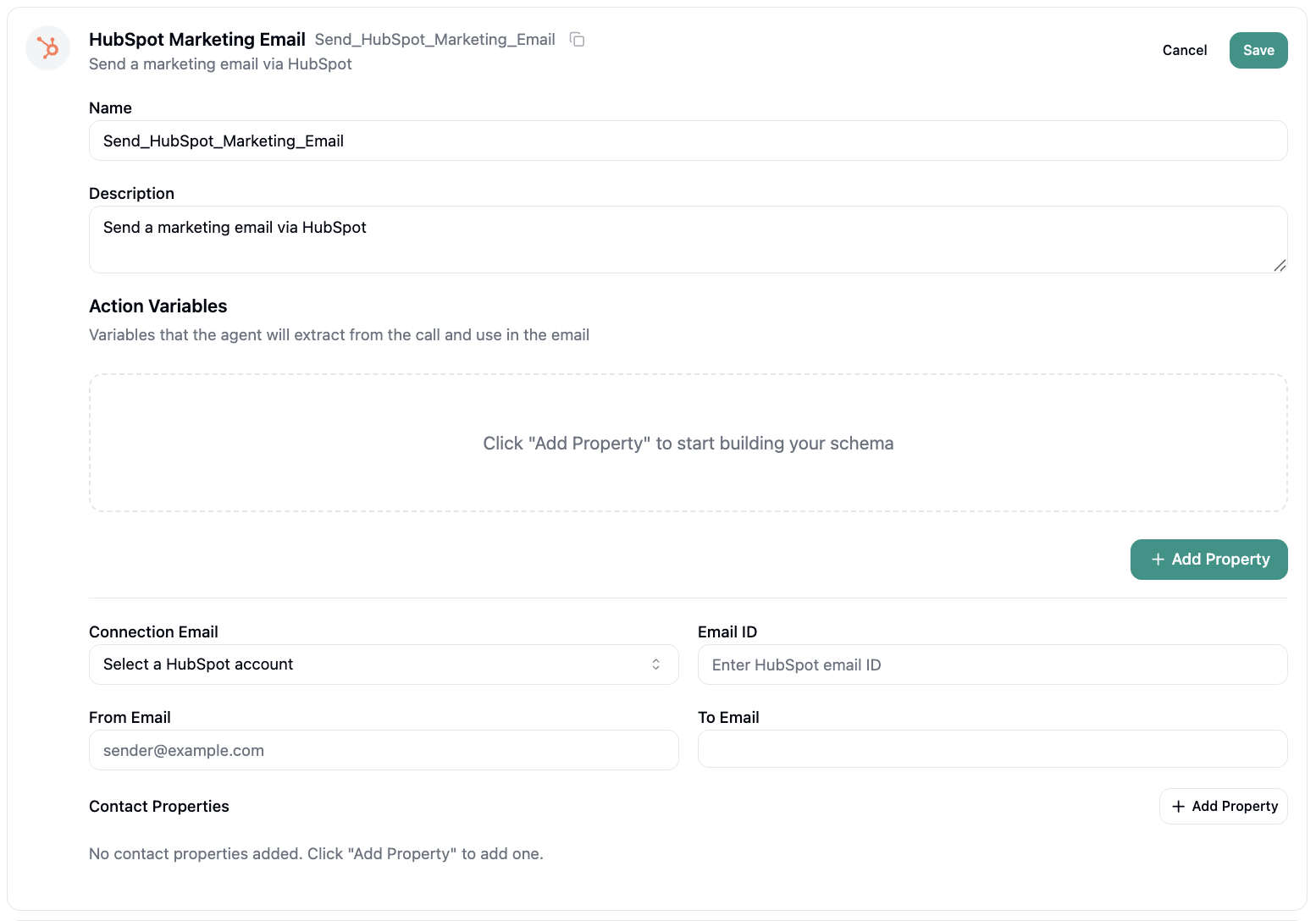
 **Send Marketing Email** - Trigger marketing emails based on conversation context and customer interest signals.
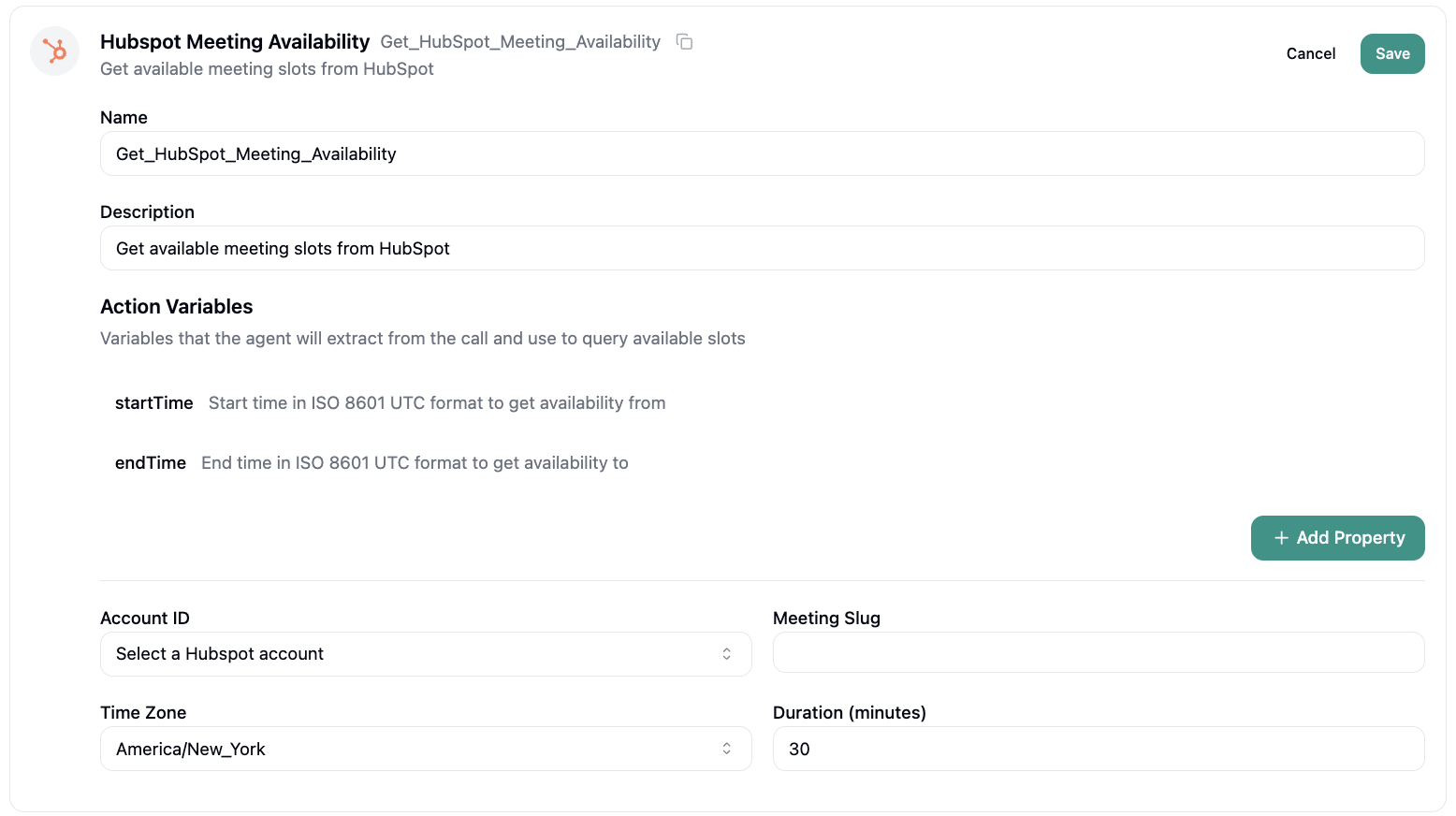
 **Get Meeting Availability** - Query HubSpot calendars in real-time to find and present available meeting slots.
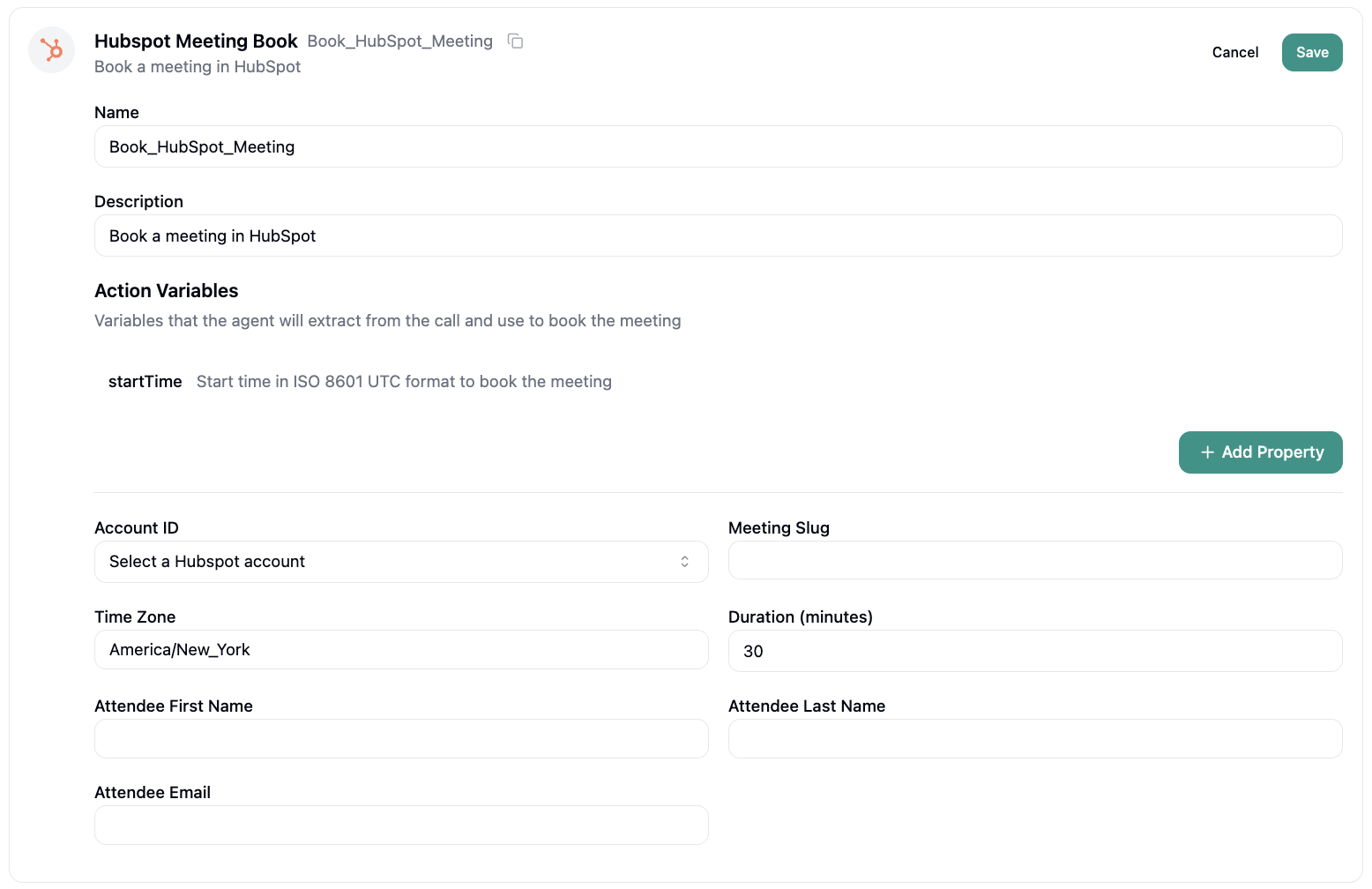
 **Book Meeting** - Schedule and confirm meetings directly in HubSpot calendars during active conversations.
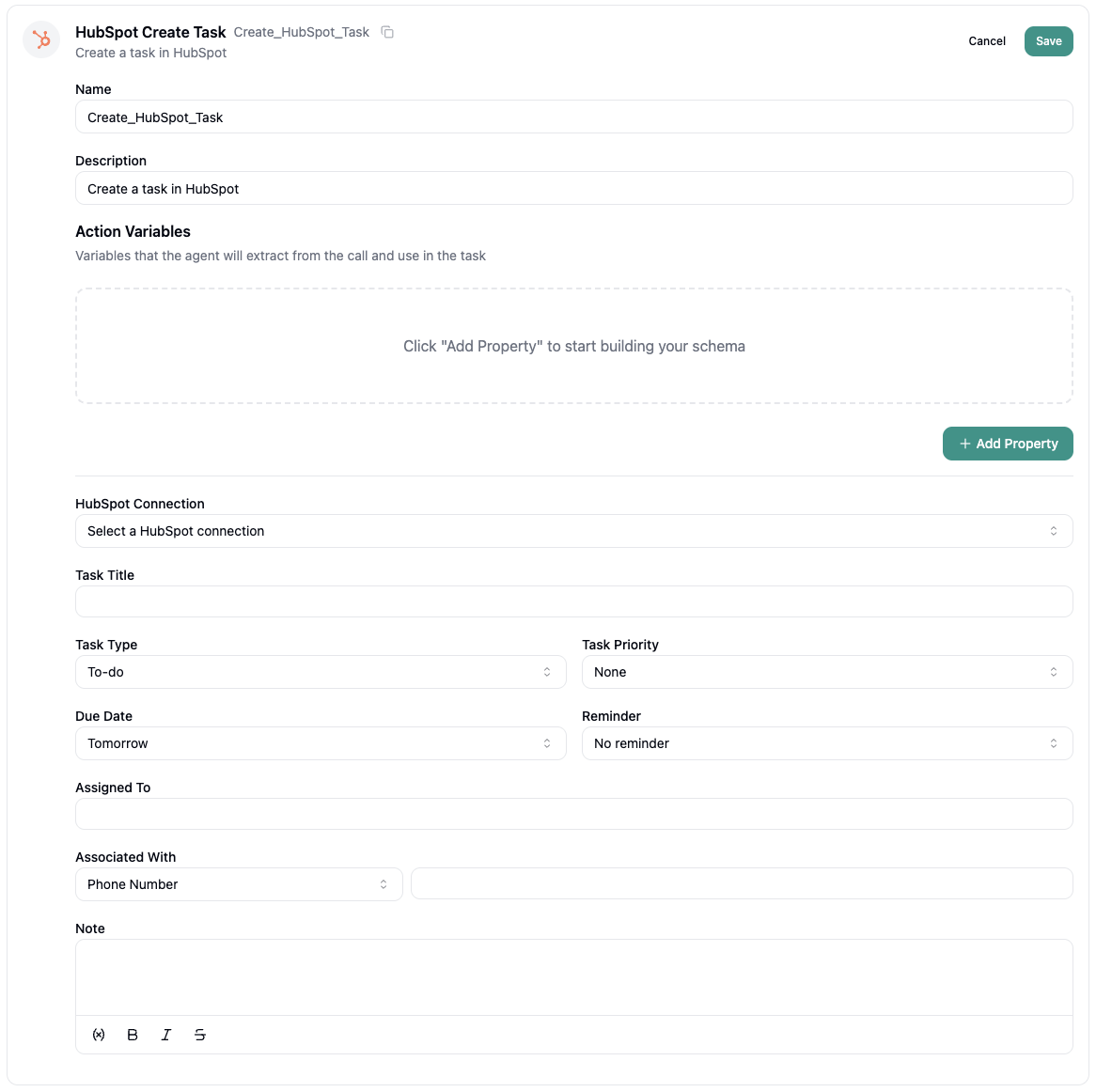
 **Create Task** - Generate action items and assign tasks to team members based on conversation outcomes.
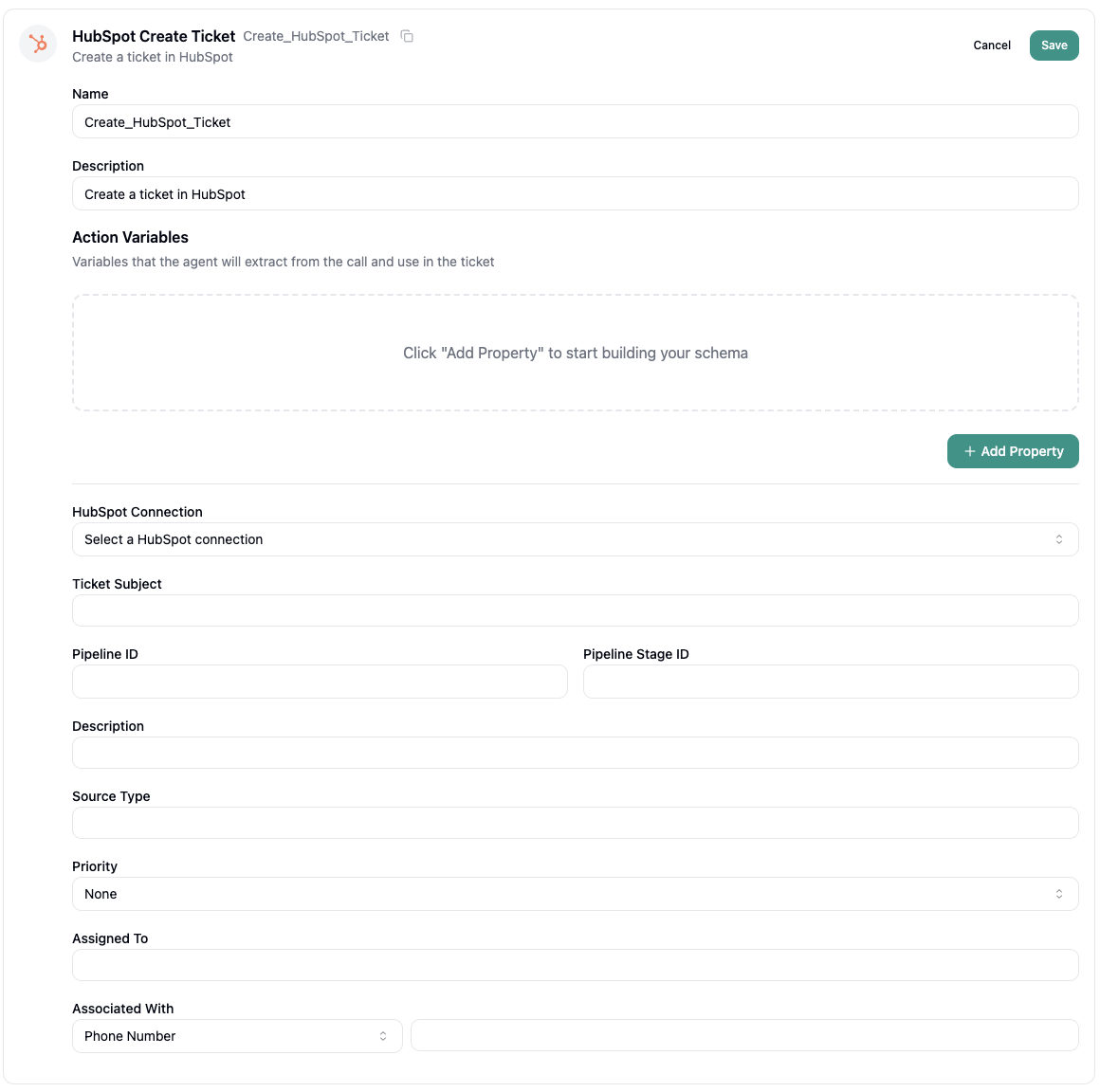
 **Create Ticket** - Open support tickets directly in HubSpot's service hub during customer interactions.
 ***
### Custom API
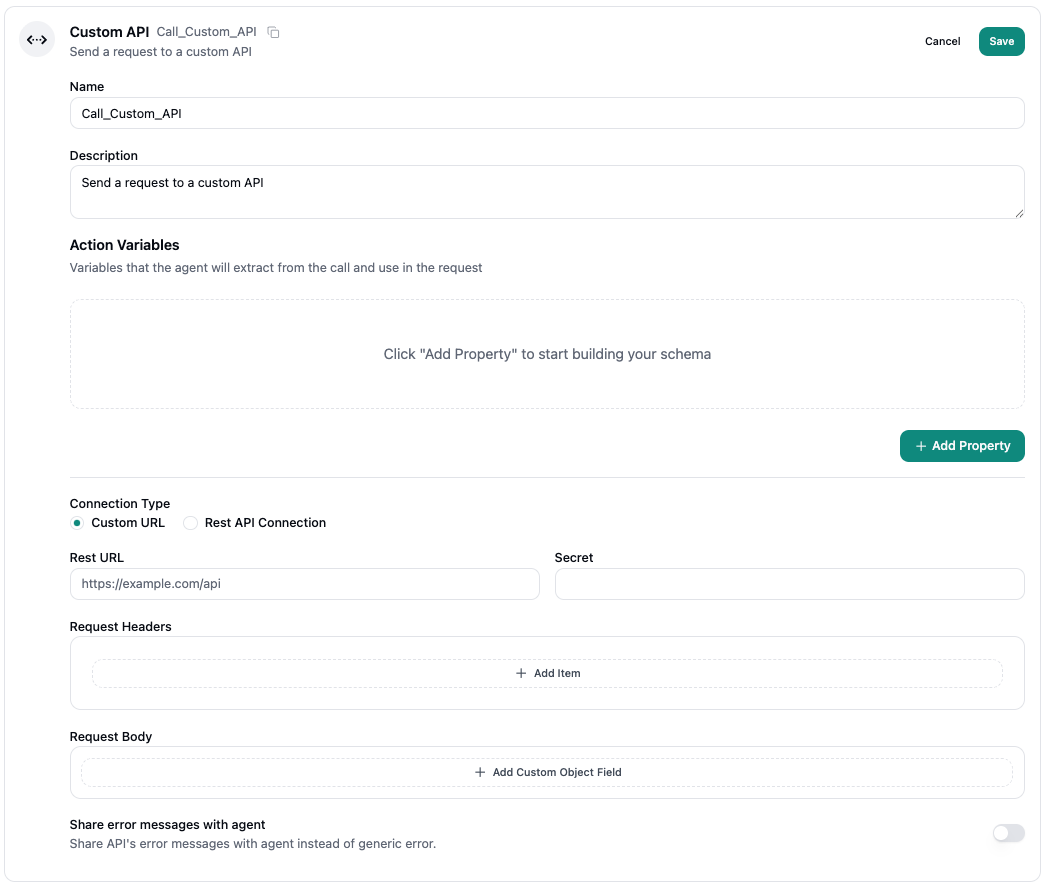
**Send POST Request** — Connect to proprietary systems and third-party APIs.
***
### Custom API
**Send POST Request** — Connect to proprietary systems and third-party APIs.
 ***
### Transfer Call
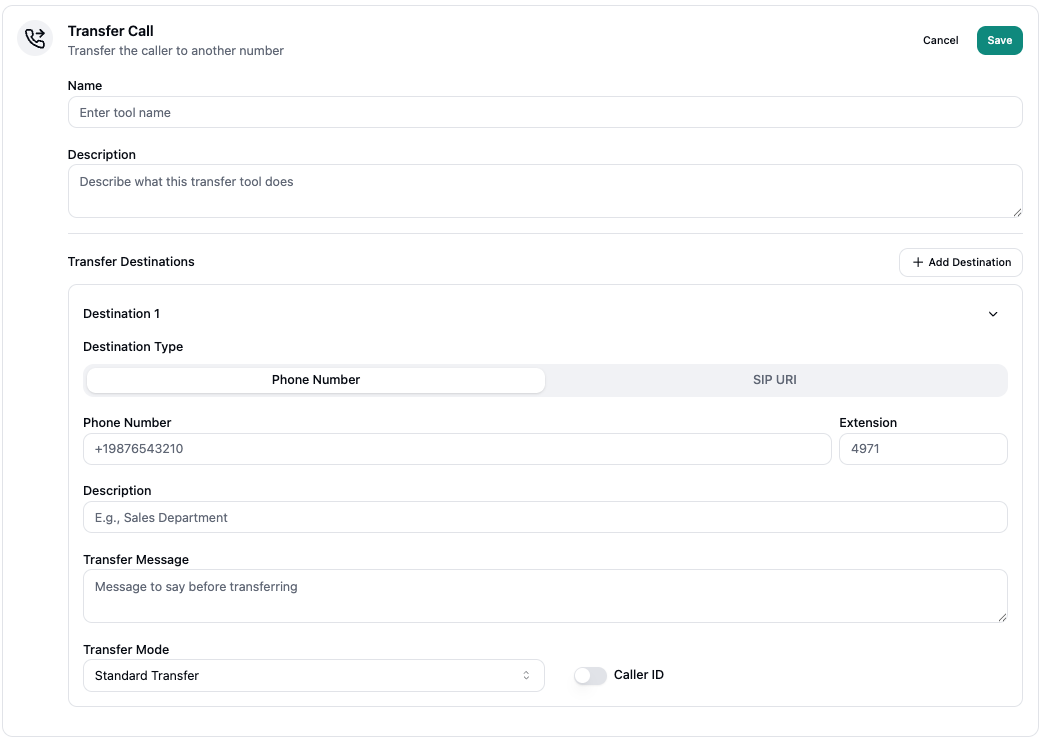
Hand off to human agents or specialists.
***
### Transfer Call
Hand off to human agents or specialists.
 ***
### Cal.com
Leverage Cal.com's scheduling engine for real-time appointment booking during conversations.
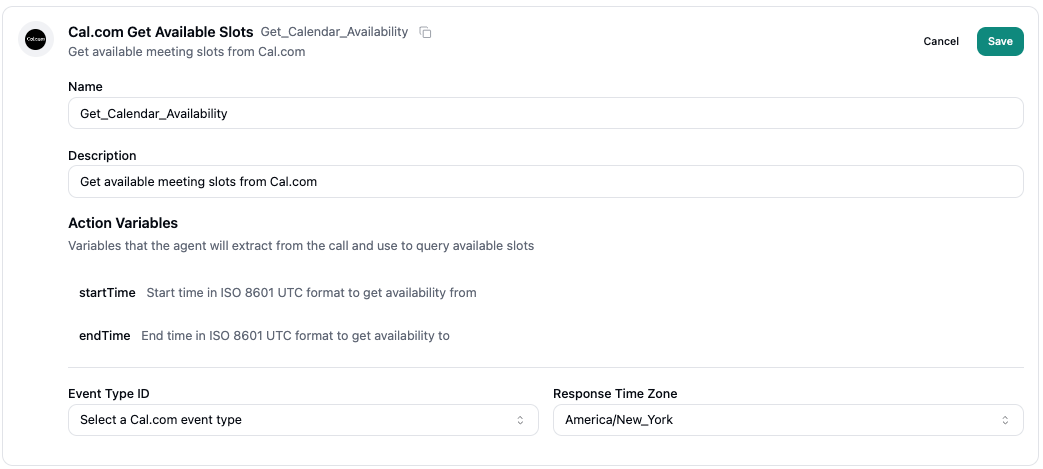
**Get Available Slots** - Retrieve available time slots from Cal.com calendars instantly during conversations.
***
### Cal.com
Leverage Cal.com's scheduling engine for real-time appointment booking during conversations.
**Get Available Slots** - Retrieve available time slots from Cal.com calendars instantly during conversations.
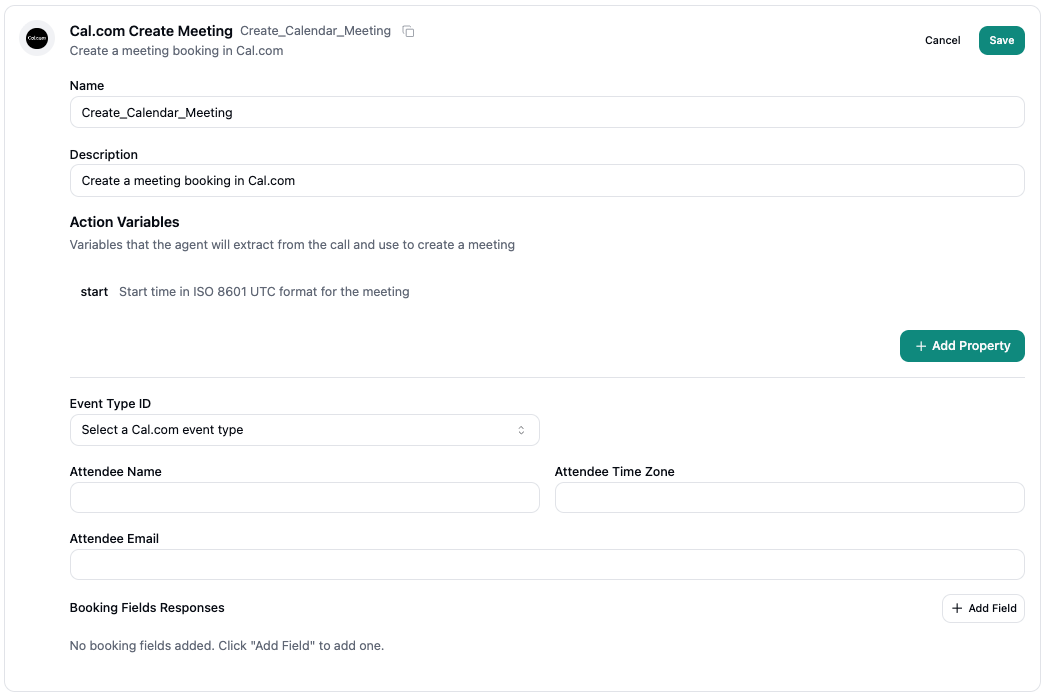
 **Create Meeting** - Book and confirm appointments through Cal.com seamlessly within the conversation flow.
 ***
### Calendly
Leverage Calendly's scheduling engine for real-time appointment booking during conversations.
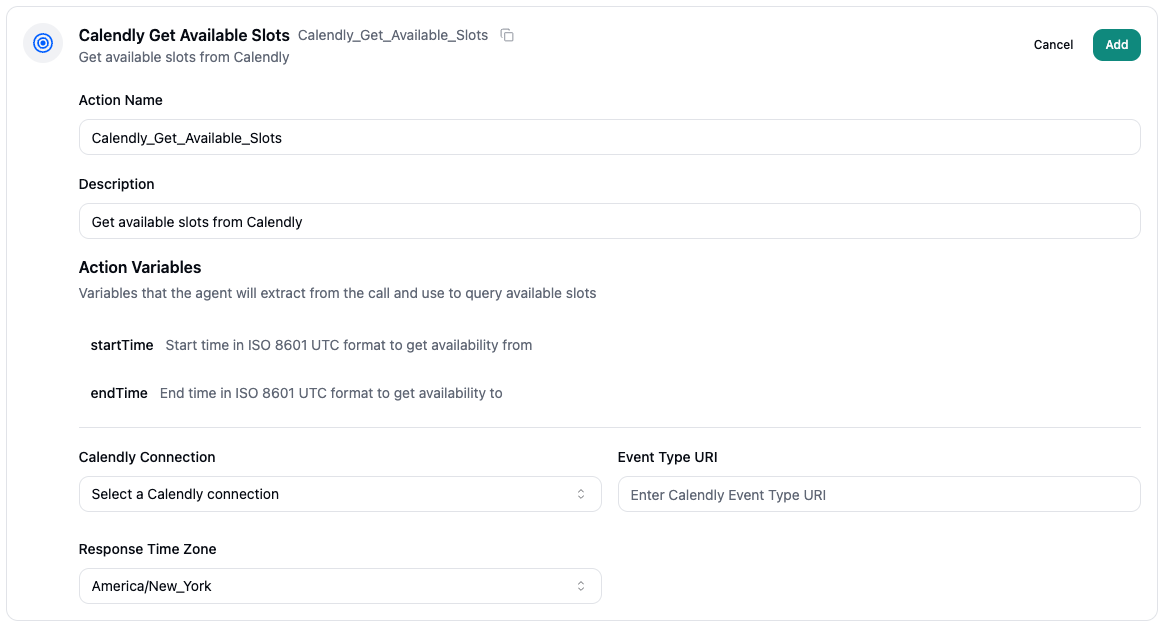
**Get Available Slots** - Retrieve available time slots from Calendly calendars instantly during conversations.
***
### Calendly
Leverage Calendly's scheduling engine for real-time appointment booking during conversations.
**Get Available Slots** - Retrieve available time slots from Calendly calendars instantly during conversations.
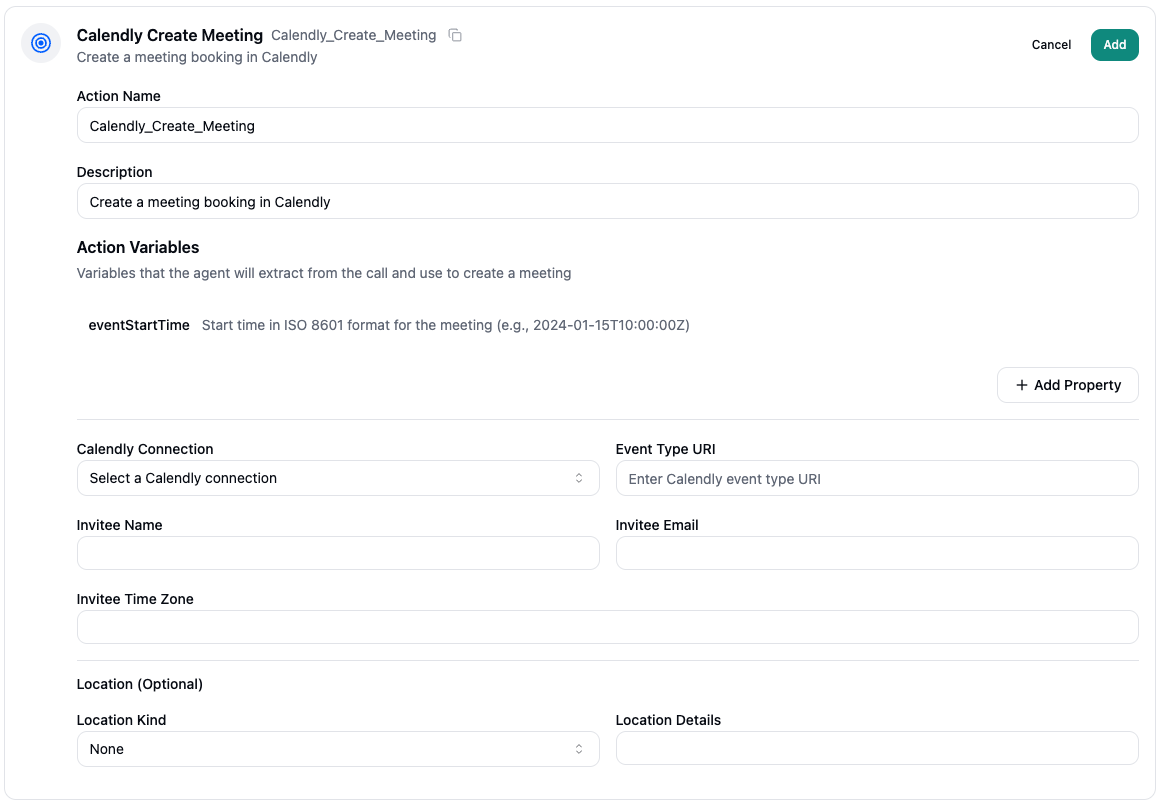
 **Create Meeting** - Book and confirm appointments through Calendly seamlessly within the conversation flow.
 ***
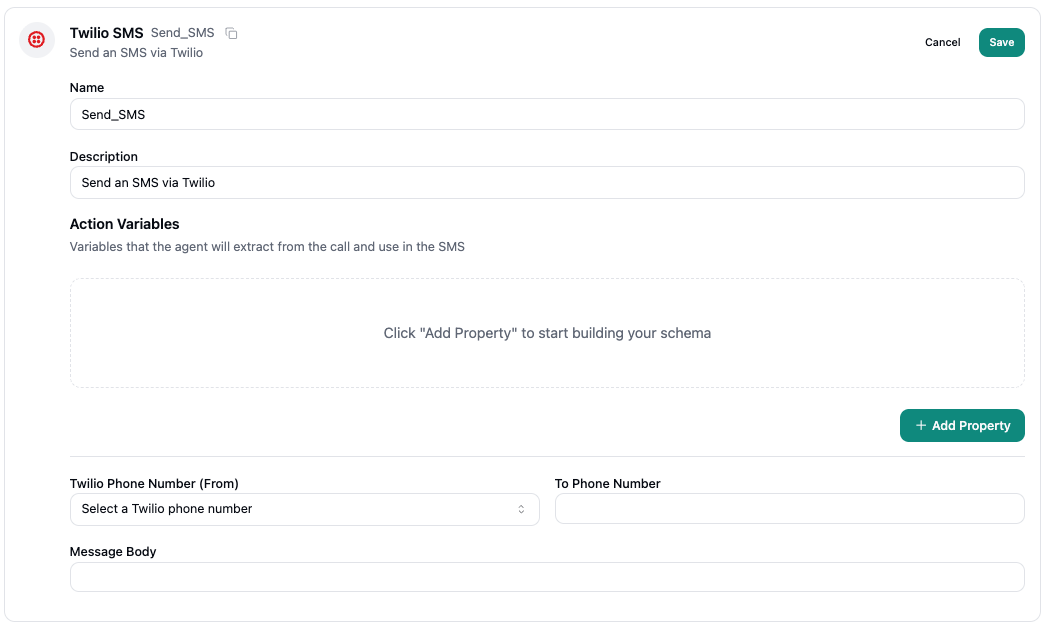
### Twilio SMS
**Send SMS** — Deliver text messages via Twilio's infrastructure.
***
### Twilio SMS
**Send SMS** — Deliver text messages via Twilio's infrastructure.
 ***
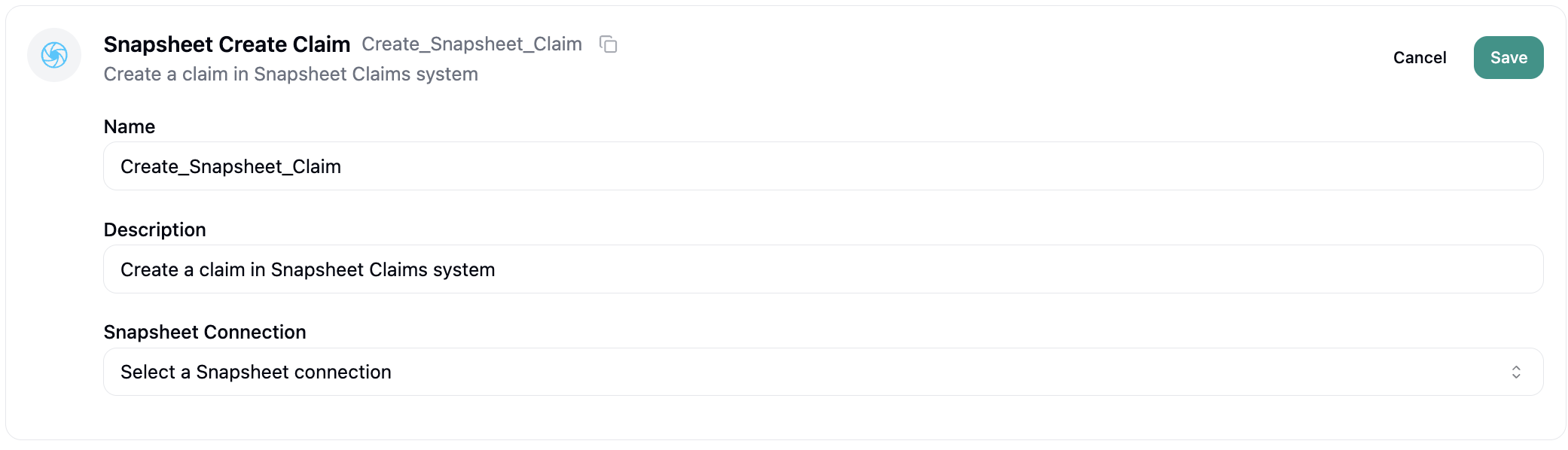
### Snapsheet Claims
**Create Claim** — Initiate insurance claims through Snapsheet.
***
### Snapsheet Claims
**Create Claim** — Initiate insurance claims through Snapsheet.
 ***
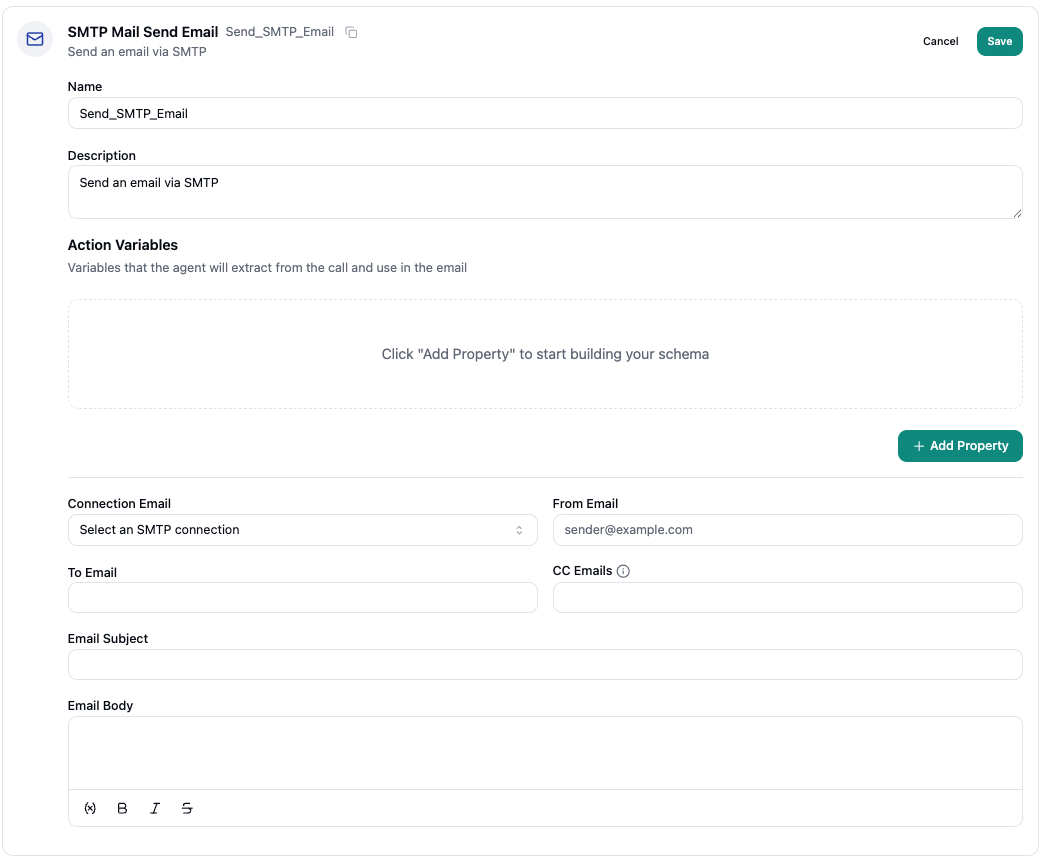
### Send Email (SMTP)
**Send Email** — Send through your own SMTP server.
***
### Send Email (SMTP)
**Send Email** — Send through your own SMTP server.
 ***
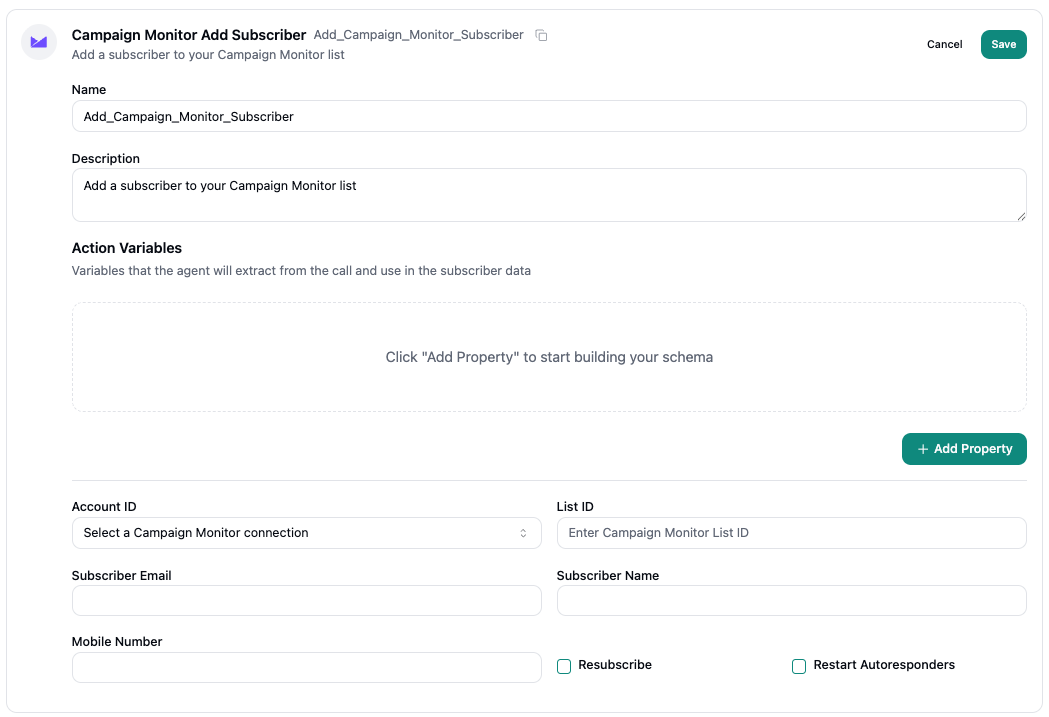
### Campaign Monitor
**Add Subscriber** — Grow your email marketing lists.
***
### Campaign Monitor
**Add Subscriber** — Grow your email marketing lists.
 ***
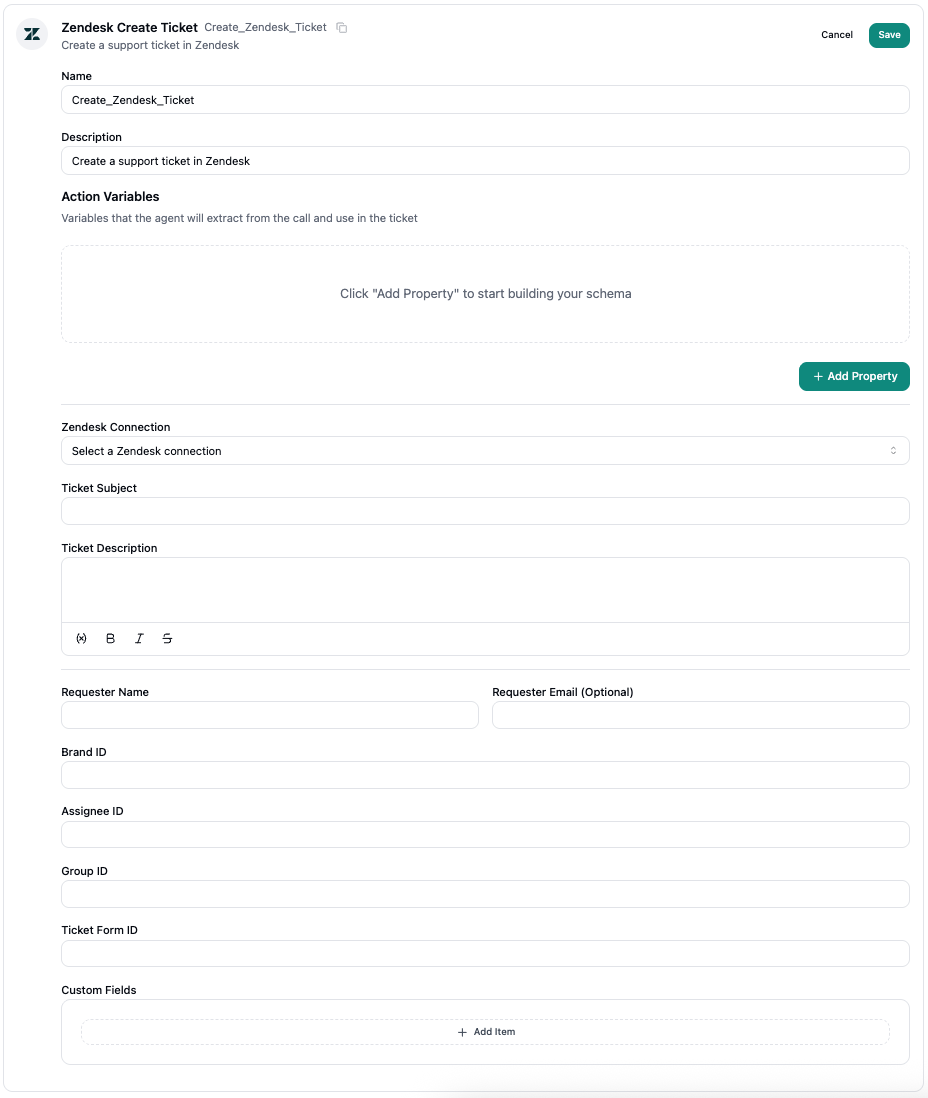
### Zendesk
**Create Ticket** — Generate support tickets during conversations.
***
### Zendesk
**Create Ticket** — Generate support tickets during conversations.
 ***
## Handoff Actions
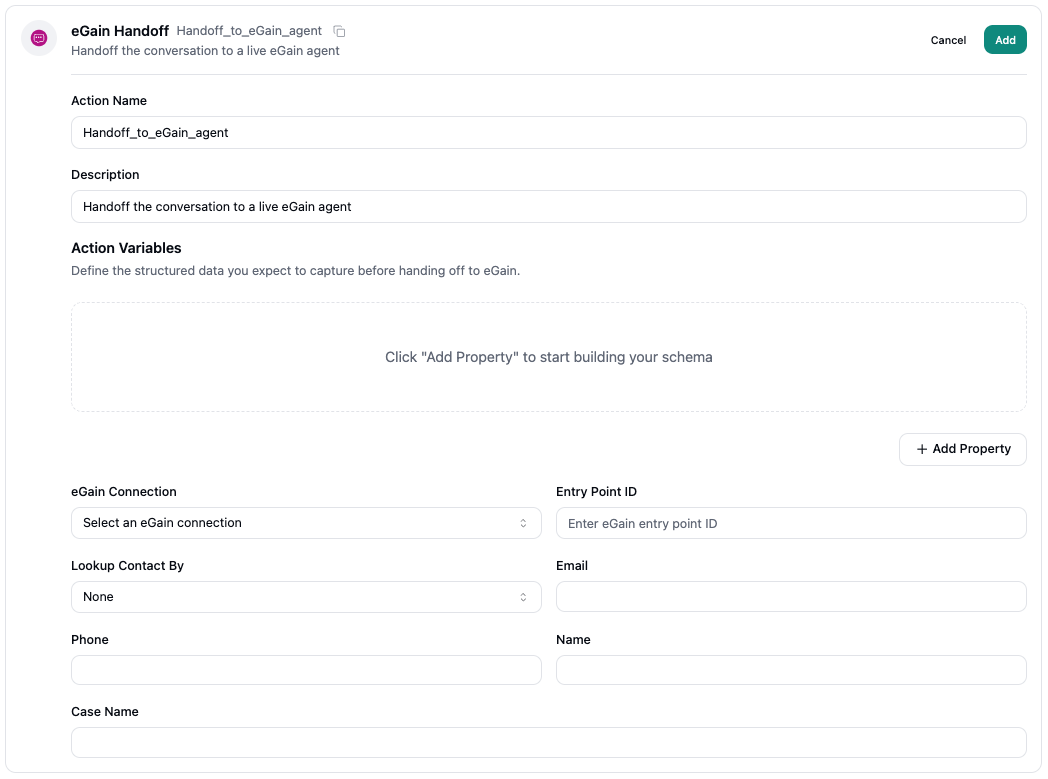
### eGain Handoff
Transfers the conversation to a live eGain agent.
***
## Handoff Actions
### eGain Handoff
Transfers the conversation to a live eGain agent.
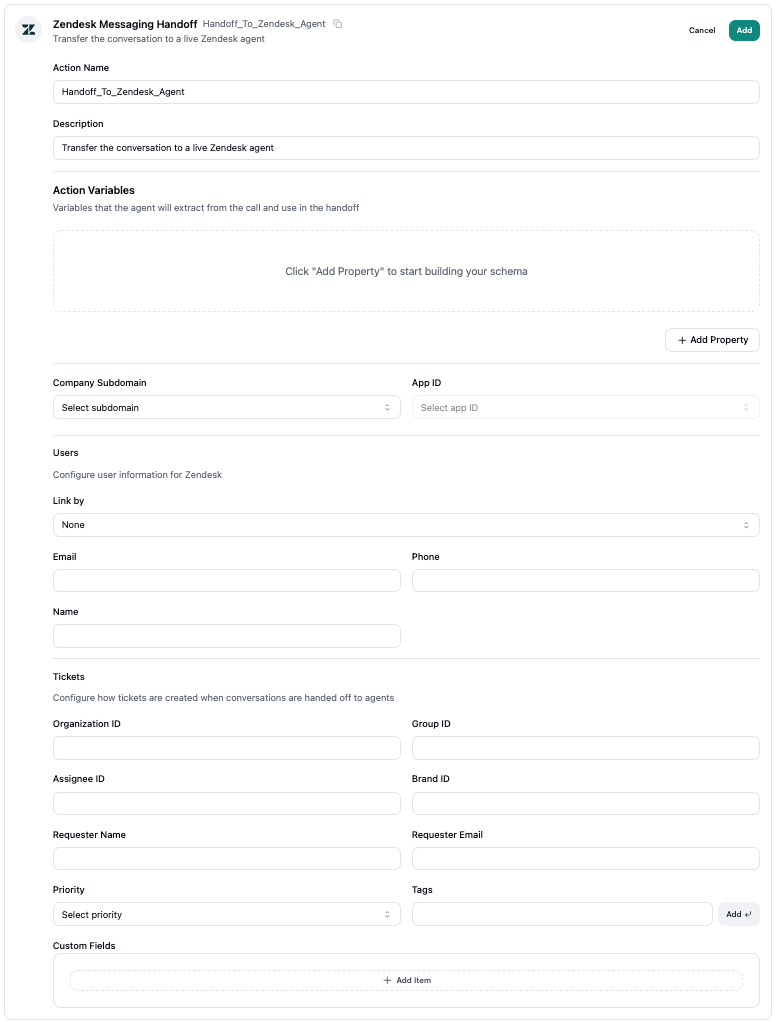
 ### Zendesk Messaging
Transfer the conversation to a live Zendesk agent.
### Zendesk Messaging
Transfer the conversation to a live Zendesk agent.
 ***
## Referencing Dynamic Data
Depending on the action, certain input configurations can reference dynamic data from the conversation. This can include the dynamic action variables or any variables provided as part of the conversation flow prompt instructions.
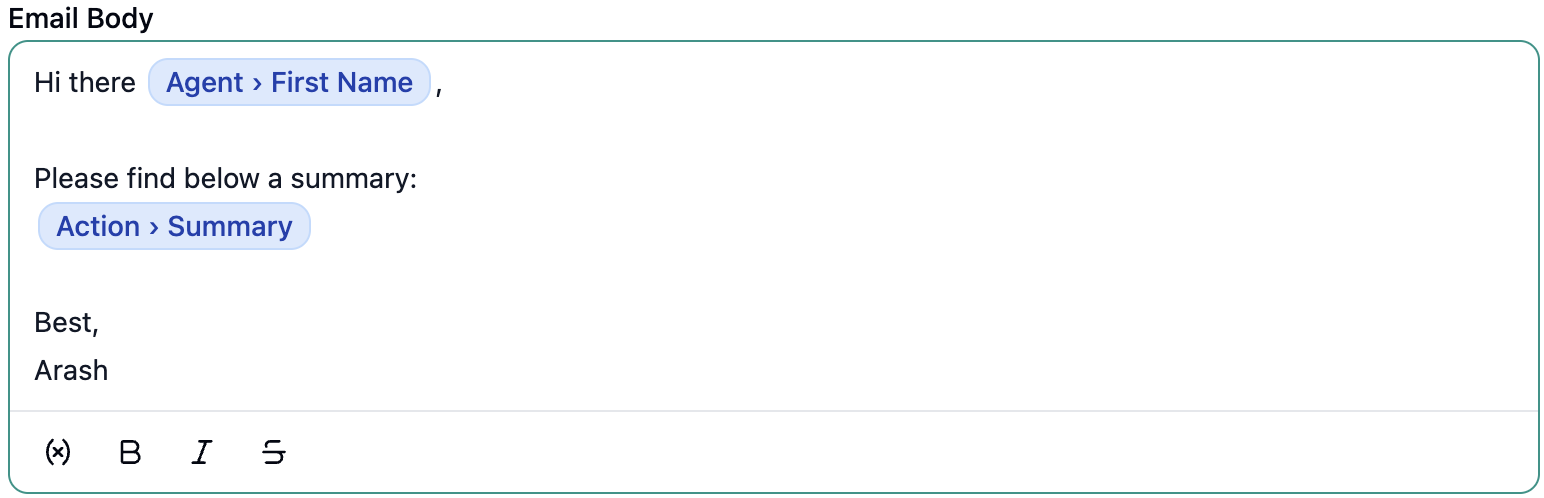
To reference a variable, simply enter `\` key in an input field or text area and the list of available variables will become available to choose from. A good example is the **Gmail** send email action, which allows for an email body to be defined. When configuring the email body, dynamic variables can be referenced:
***
## Referencing Dynamic Data
Depending on the action, certain input configurations can reference dynamic data from the conversation. This can include the dynamic action variables or any variables provided as part of the conversation flow prompt instructions.
To reference a variable, simply enter `\` key in an input field or text area and the list of available variables will become available to choose from. A good example is the **Gmail** send email action, which allows for an email body to be defined. When configuring the email body, dynamic variables can be referenced: